
Classifying your applications: criticality, data, recovery, the groundwork for NIS2
Business and cyber criticality, data, recovery plan: classifying every application is the work that comes before any NIS2 effort. A method and a tool, without the spreadsheet.
The question always comes up, in a management meeting or from an auditor: which of our applications are critical, what data do they hold, how fast do we bring them back, and in what order?
In many IT departments the answer exists, in pieces. The business impact analysis sits in last year’s spreadsheet, the recovery plan in a PDF, the application list in another tool, and the rest in two people’s heads. NIS2 does not create these questions. It makes them mandatory for many companies that could do without them until now.
What NIS2 expects from IT
The NIS2 directive (Article 21) requires the entities in scope to take risk-management measures. Among them: business continuity, with backup management and disaster recovery; supply chain security; incident handling. Each member state transposes the directive into national law, and national agencies publish their own guidance. In France, ANSSI details these objectives in a framework, ReCyF, still published as a working document on MesServicesCyber.
Whatever your country’s timetable, one thing will not change: before any risk analysis, you need to know what you protect. An inventory of applications, classified and kept current. It is the longest part, and the one nobody enjoys.
Classifying an application in four blocks
In KANAP, each application’s Compliance tab follows the order of a business impact analysis.
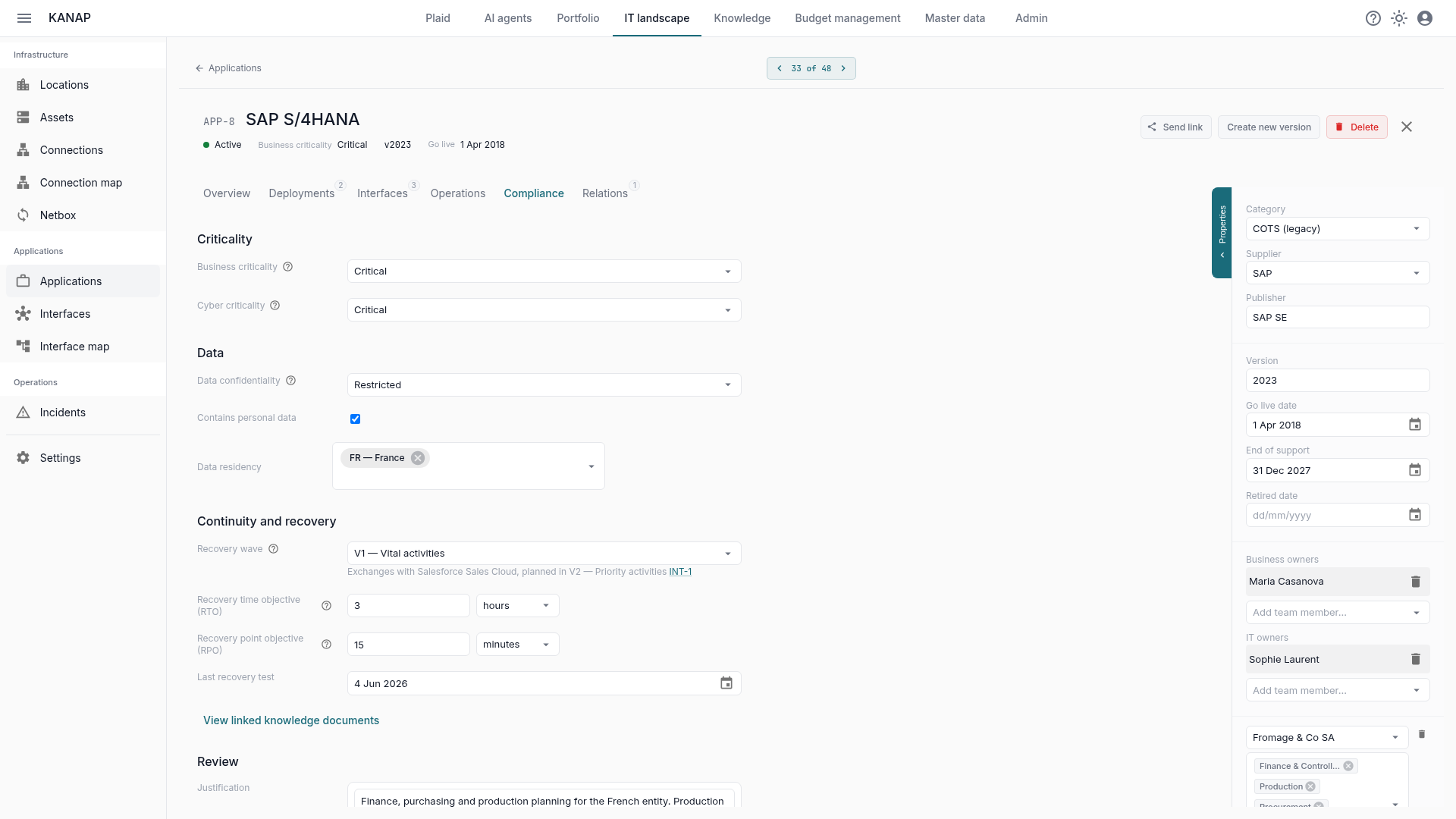
Criticality. Business criticality is picked among your levels, each with its definition, usually the interruption the business can tolerate. Cyber criticality is picked separately: it measures the consequences of a compromise, not how likely it is. A payroll tool can live with two days of downtime and still be highly critical if its data leaks.
Data. The confidentiality level, from your data classes; whether personal data is held; data residency, country by country.
Continuity and recovery. The recovery wave says in which order systems come back, not how fast. The RTO (recovery time objective) and the RPO (acceptable data loss) are entered in minutes, hours or days, along with the date of the last recovery test. When the RTO reaches the maximum tolerable downtime of the business level, KANAP flags it.
Review. A written justification explains the levels chosen. Then “Mark as reviewed” records who reviewed the classification, and when.
Anything left blank stays “Not set”. KANAP never picks a default level for you: an unclassified application should be visible as such.
Your method, not ours
You probably already have levels, in your security policy or in your last impact analysis. Keep them. The four catalogs (business criticality, cyber criticality, data confidentiality, recovery waves) are configurable: level names, the definition shown when choosing, the maximum tolerable downtime of each business level, order, translations.
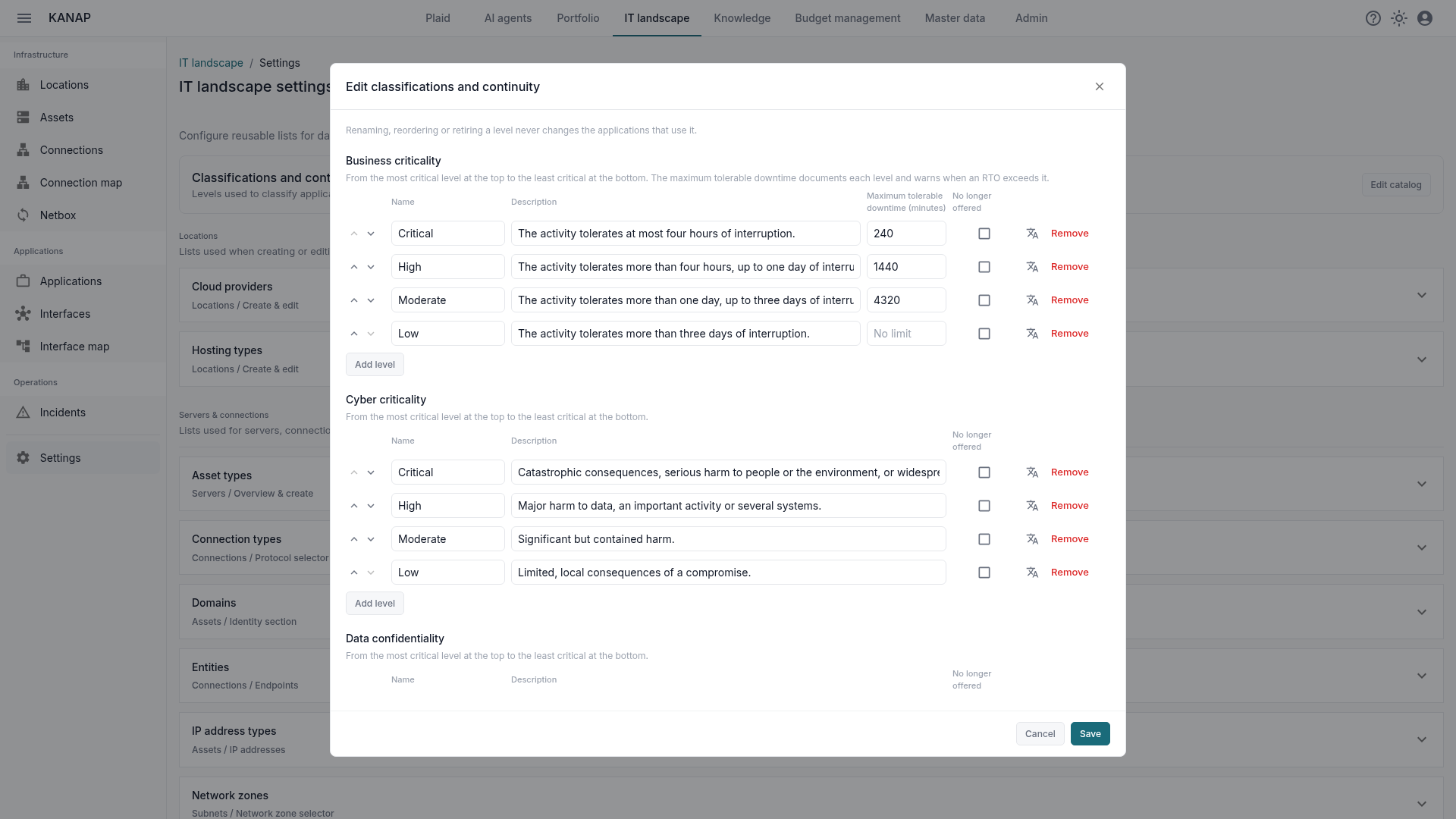
Changing a catalog never moves an application to another level and never invalidates a review. A level you drop becomes “No longer offered”: it stays readable on the applications that carry it, it is simply no longer proposed.
A classification campaign you can steer
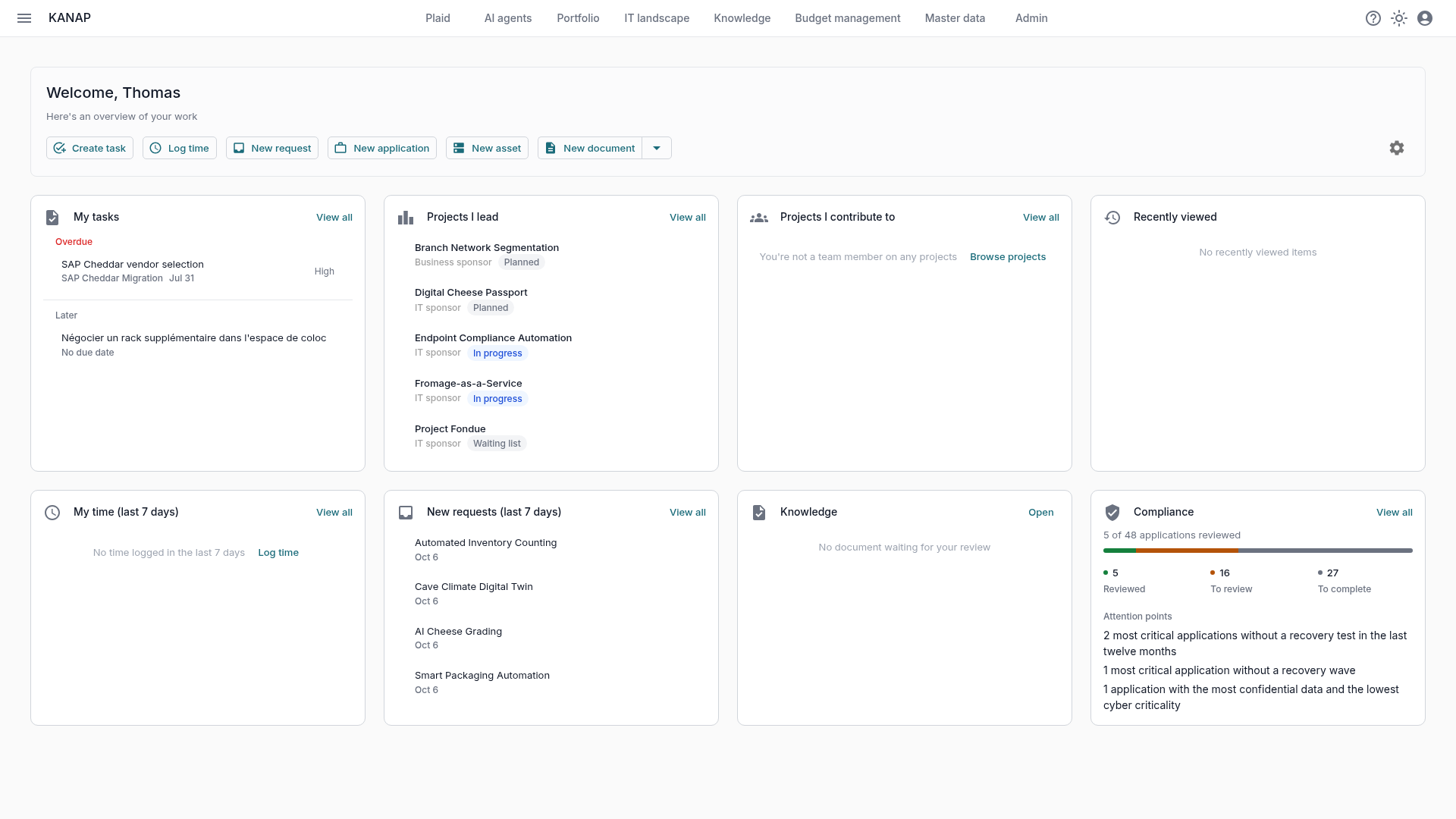
Classifying forty or two hundred applications takes weeks. The Compliance tile of the dashboard shows where the campaign stands: how many applications are reviewed, need a review, or are still to complete. Below, three attention points: the most critical applications without a recovery test in the last twelve months, those without a recovery wave, and those holding the most confidential data with the lowest cyber criticality. Each number opens the matching list of applications.
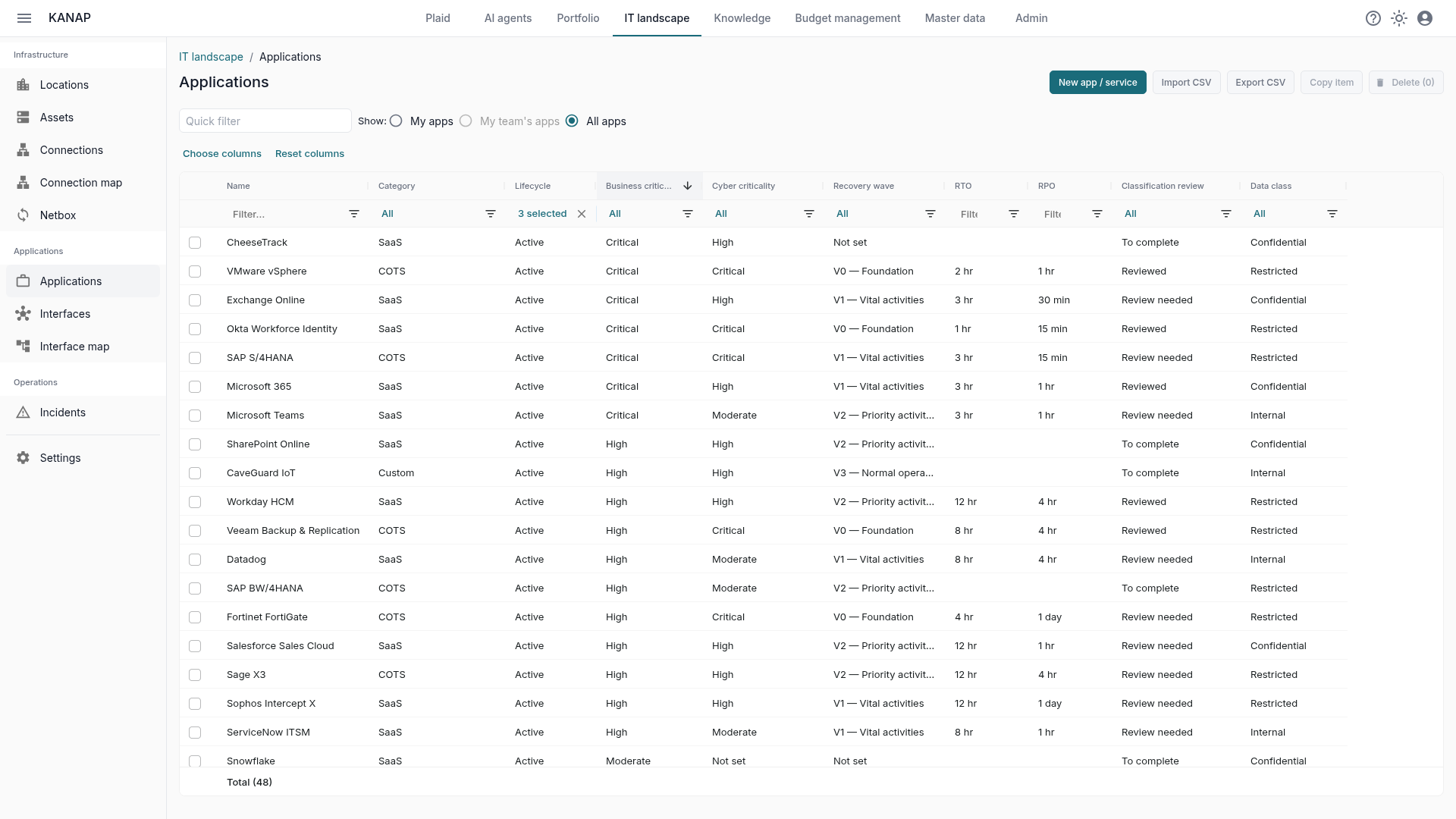
The review is not a yearly stamp. As soon as a criticality, a wave, a recovery objective or the data residency changes after the review, the application goes back to “Review needed”. The application list shows the same fields as columns, with filters, and exports to CSV for the auditor.
What a governed record adds to a spreadsheet
An impact analysis spreadsheet classifies rows. In KANAP, the classified application is also linked to the rest of the landscape, and that is where the classification starts paying off.
- Recovery dependencies. Under the wave, KANAP lists the interfaces that link the application to an application planned in a later wave. In the screenshot above, SAP S/4HANA comes back in V1 but exchanges data with Salesforce, planned in V2. The recovery plan sees its ordering issues before the day it is needed.
- Criticality of flows. Interfaces and connections inherit the highest level of the applications they link.
- Servers. Each server shows its operating system and the end-of-support dates.
- Suppliers and contracts. The supply chain is already there: each application leads to its vendor, its contracts and their deadlines.
- Documentation. Recovery procedures and test reports live in the knowledge base, linked to the application.
- Traceability. Every change goes to the audit log.
And Plaid, the built-in AI agent, answers on the same data: “which critical applications have had no recovery test for a year?”, “where does the classification review stand?”. It can also prepare classification changes, which you approve. The review itself stays a human action.
What KANAP does not do
KANAP does not run a risk analysis, does not replace an information security management system and does not report incidents to the authorities. It provides the classified, linked and current inventory those efforts rely on. It is the raw material of the risk analysis, not the analysis itself.
Where to start
- Put the levels of your security policy or last impact analysis into the catalogs.
- Classify the applications most critical to the business first.
- Fill in the wave, the RTO, the RPO and the date of the last recovery test.
- Write the justification, then do the review.
- Follow the campaign from the Compliance tile and work through the attention points.
- Link servers, interfaces and contracts as you go.
The sample data of a trial, the fictional Fromage & Co group, includes a classification campaign in progress: enough to see all of this before classifying your own applications.