
KANAP 26.10.7: each person sees their own share of the budget
26.10.7 lets you limit a person to chosen companies or cost centers, in read or edit, everywhere in KANAP. Server clusters now host applications and carry connections. A tour of the release.
The controller of your Italian subsidiary needs the Italian budget, and only that. The head of a business unit wants to follow the lines of their cost centers without reading the salaries of the neighbouring department. A contractor is helping you renegotiate the network contracts and should see those contracts, nothing more.
Until now, KANAP gave each person access to whole modules: whoever could read the budget read all of it. With 26.10.7, you decide which part of the budget and contracts each person sees, and whether they can change it.
Limit a person to their share of the budget
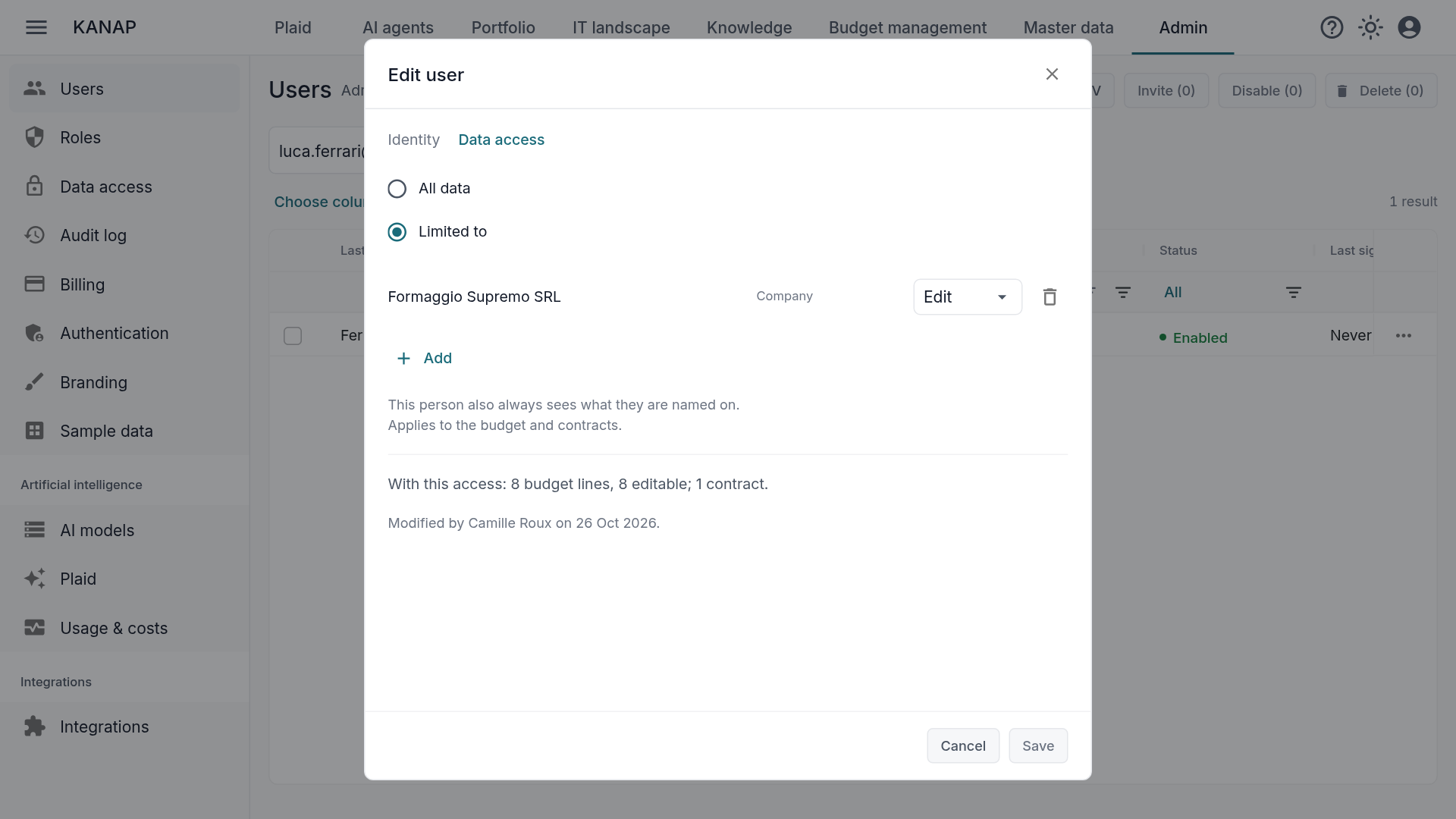
Choose a scope, in read or edit. An administrator opens a user and goes to the new Data access tab. By default, everyone keeps All data. Switch to Limited to, then add companies, cost center groups or single cost centers, each in Read or Edit. Before you save, a preview counts what the person will see: so many budget lines, so many of them editable, so many contracts.
Or start from the company. The same access can be given from the other side: the Access tab of a company or a cost center lists who sees it, directly or through a parent group, and adds a person in a few clicks.
Their lines, everywhere. A limited person sees only their budget lines and contracts, wherever they look: budget lists and totals, contracts, reports, search, exports, Plaid, the AI assistant built into KANAP, and your own AI tools connected over MCP. A report run by the Italian controller adds up Italian figures, and Plaid answers with Italian lines.
The rest of the estate stays shared. Applications, servers and projects are read as before. A person without budget rights sees that an application has three linked budget lines, without seeing which ones or their amounts.
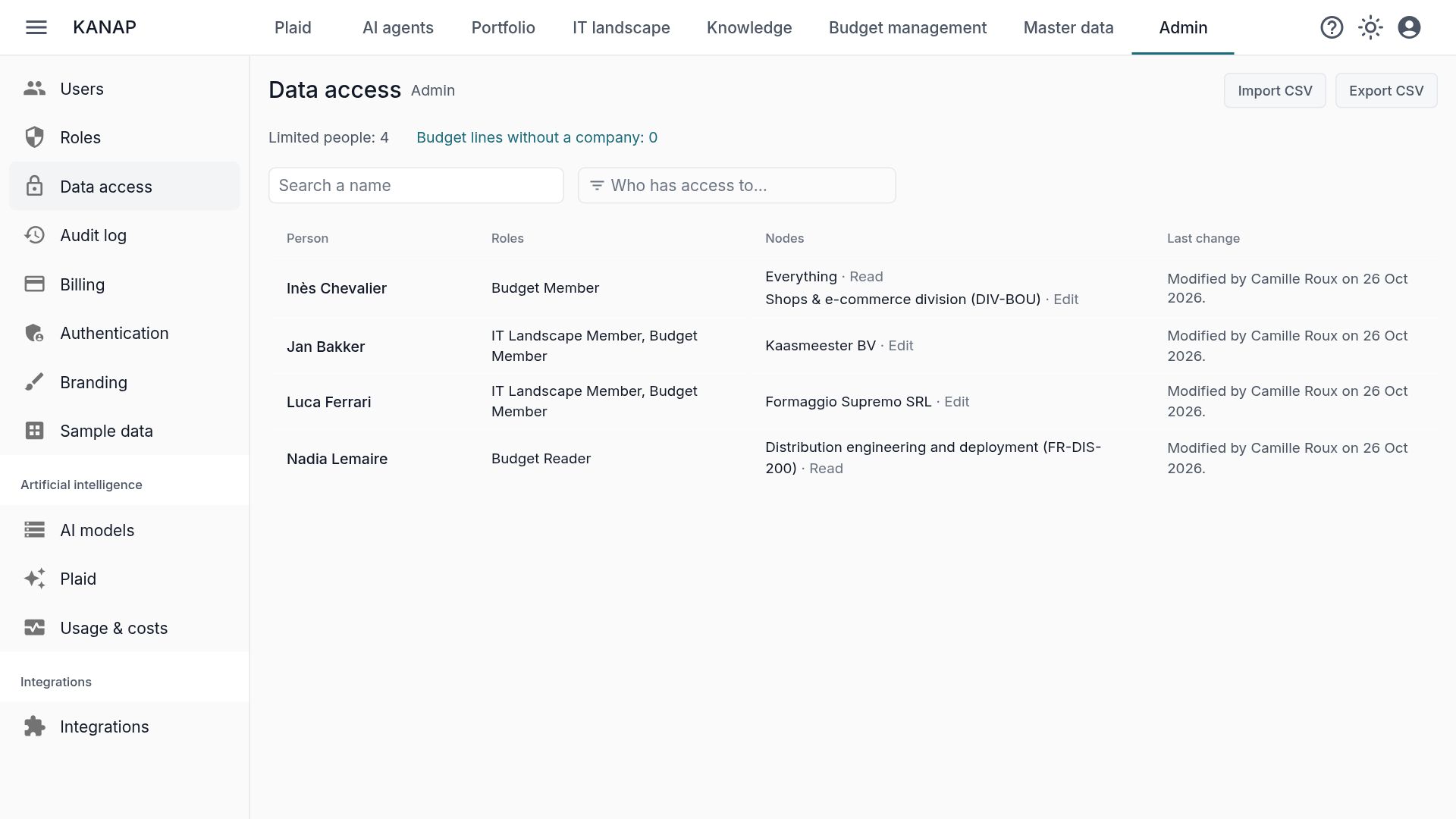
One page to keep track. Administration > Data access lists every limited person with their scopes and the last change, filters on “Who has access to…” a company or cost center, and exports or imports the whole set as a CSV file. Setting up twenty controllers takes one file.
Three typical cases:
- The subsidiary controller edits the budget of their company and reads nothing else.
- The business unit head reads the lines of their cost center group and edits those of their own center.
- The contractor reads the contracts and lines of the scope they work on.
Roles still say what a person can do; data access says on which part. The full rules, with examples, are in the Data access page of the manual.
If you host KANAP yourself, turning on data access takes a one-time step on the database, described in the installation guide. Without it, everyone keeps all data.
Clusters, described once
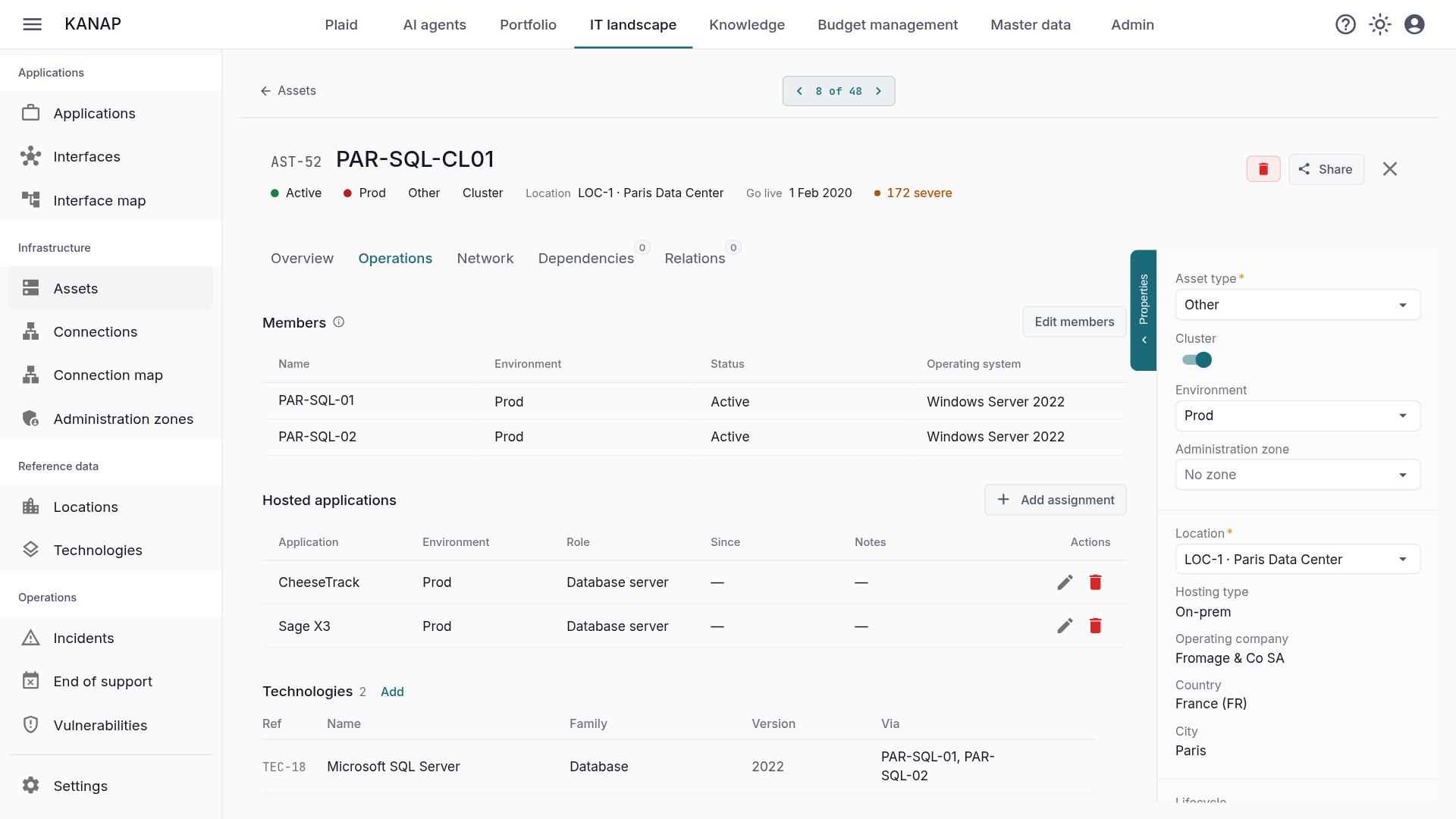
A vSphere farm or a SQL Server cluster used to be described server by server: every application and every network flow repeated on each node. Now the cluster carries them. Assign an application to the cluster and all its members host it, including a node you add next year. A connection can start from a cluster, end at it or pass through it, and applies to each member in service.
The views that count servers count the members: vulnerabilities, end of support, maps and the impact view. On a member’s record, “If this server goes down” shows the cluster as degraded, with the applications that keep running on the other nodes.
And every day
- A clearer asset record, with its properties in three groups and tabs for operations, network, hardware and dependencies.
- CSV imports that check everything before writing. A wrong host name, an unknown owner or a duplicate is reported before any change. The Replace mode changes only the columns present in the file.
- Confirmations where they matter. Irreversible actions ask for confirmation, and leaving a modified record offers Save and leave, Leave without saving or Stay.
- Plaid gives dates and times in your time zone.
- Your language throughout: exports, error messages, labels and number formats follow the interface language.
This release also brings security updates to the API.
Upgrading
On the hosted service, there is nothing to do: you are already on 26.10.7.
If you host KANAP and follow the stable branch, go straight to 26.10.7, after reading the on-premise section of the release notes. If your installation predates 26.10.1, move it to stable first, as the operations guide explains.