
KANAP 26.10.1, the first published version
KANAP now ships in numbered, dated versions, about one a month, with release notes and a documented upgrade. Here is what that gives you, and a tour of the product as it stands today.
Until now, KANAP moved forward one change at a time. The hosted service always ran the latest code, and self-hosted teams followed the main branch. Starting today, KANAP ships in published versions. 26.10.1 is the first one.
What versions give you
A point of reference. Each version carries a calendar number: 26.10.1 is the first version of October 2026, the next one (already published :)) will be 26.10.2, and November will start at 26.11.1. Expect about one version a month. The version shows in the application, so you always know exactly where you stand.
A branch that always points to the latest version. If you host KANAP yourself, you install from the stable branch. It always points to the latest official version, published and tested.
Release notes and a component inventory. Every version has a GitHub release. It lists the changes and the steps an existing installation must take. It also carries the inventory of the third-party components in that version, which your security team can check against its own lists.
Better documentation. The changelog shows what changed between your version and the new one, starting with the entries marked “Action required”. You back up, pull stable, rebuild and check. You can also pin a precise version by its tag, and roll back to the previous tag with the backup taken before the upgrade. The operations guide details each step, and the self-hosting page covers the rest.
The product today
26.10.1 is a good moment to take stock. Here is what KANAP covers, pillar by pillar.
Budget
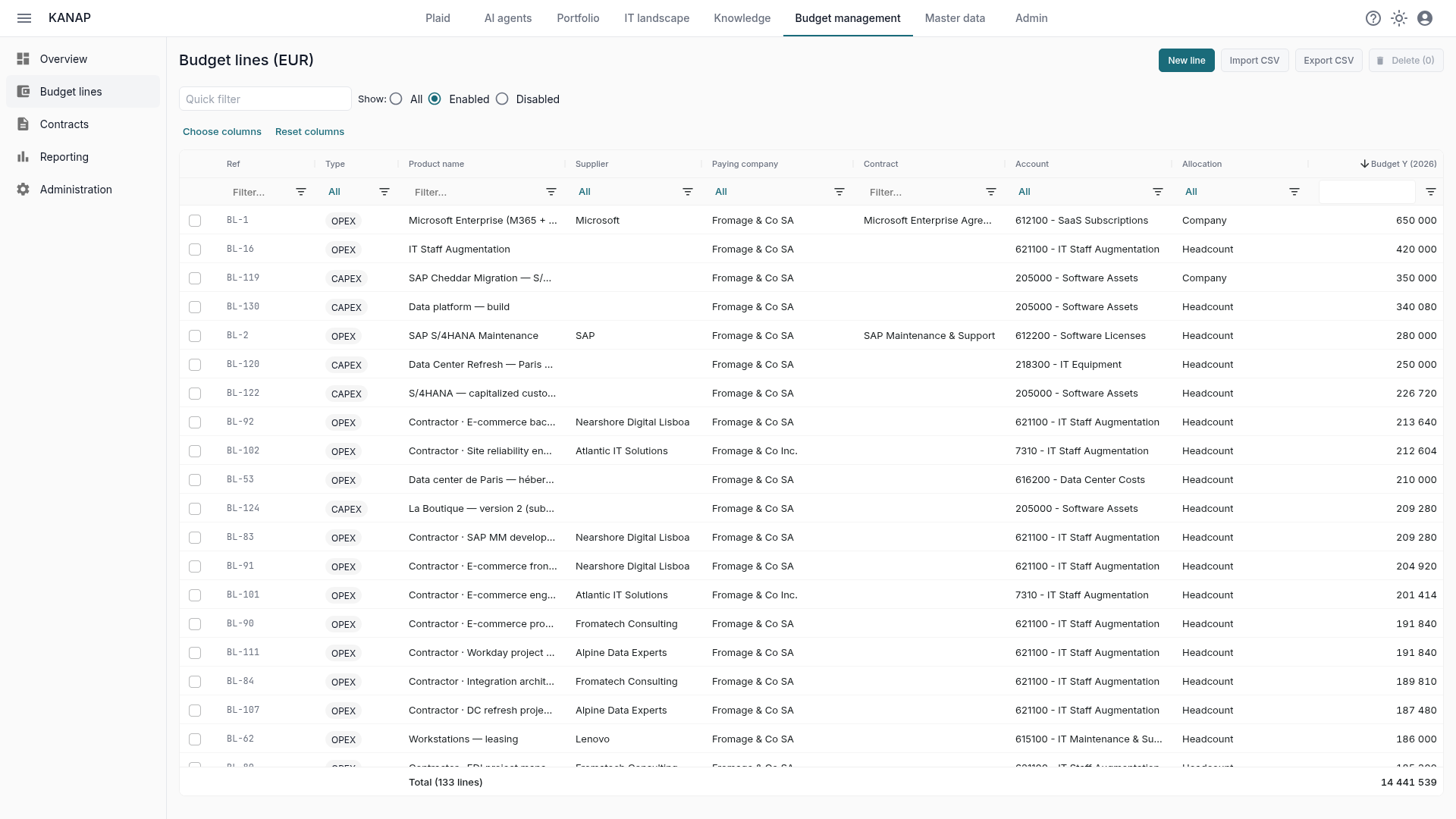
OPEX and CAPEX live in one list of budget lines, followed year after year: budget, expected landing and next year’s budget side by side. Every line links to its suppliers, contracts, applications and projects, so you know what you pay for and why. Chargeback, analytics dimensions and cost per FTE answer the questions finance asks. See the budget features, and the articles on the expected landing, next year’s budget and chargeback.
Applications and assets
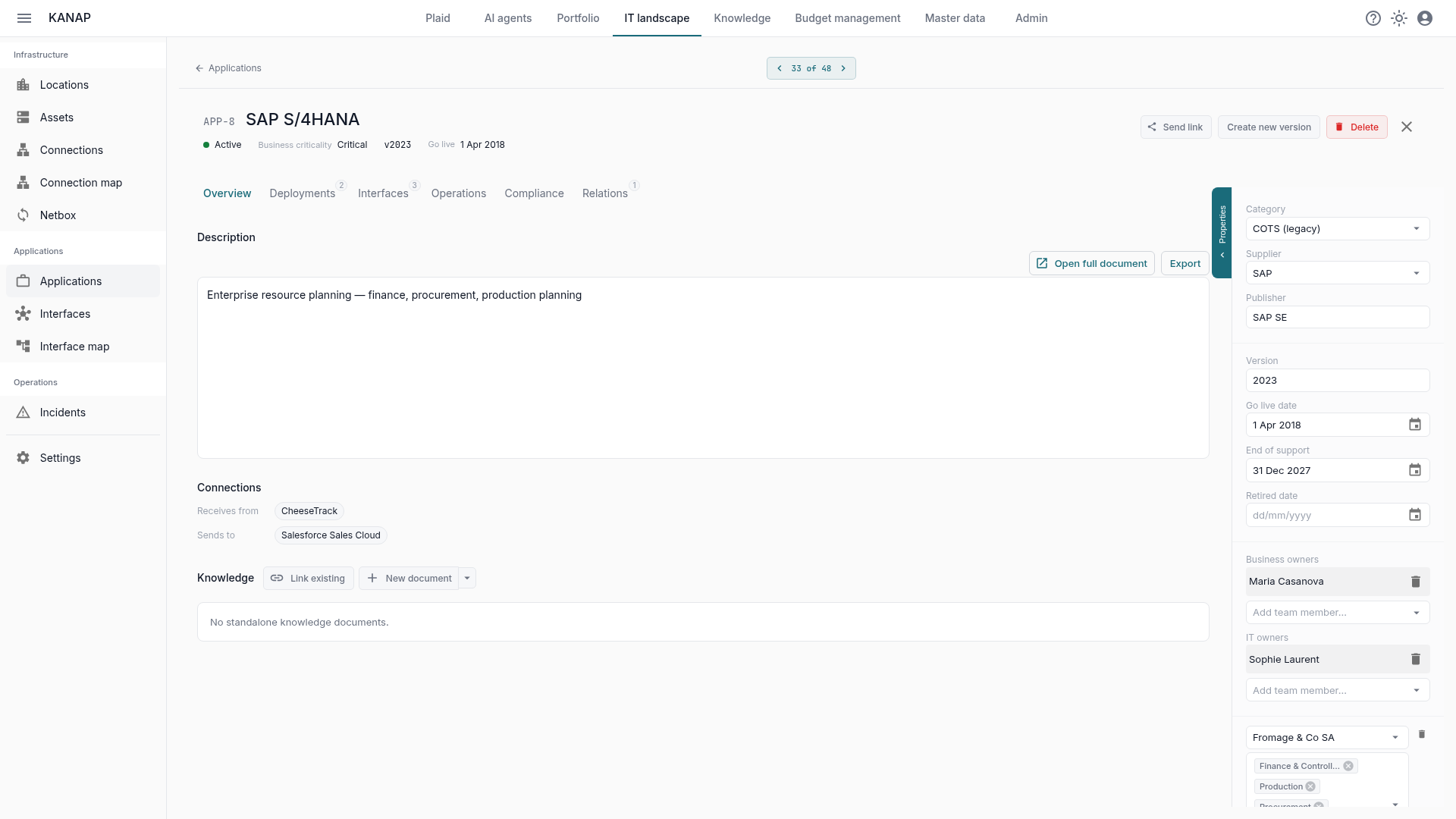
The IT landscape holds your applications, interfaces, servers and locations in one registry. Each application carries its owners, deployments, data flows and criticality, and the maps draw how everything connects. You can classify applications for business continuity and NIS2, and keep your hardware in Netbox as the single source. See the IT landscape features, and the articles on classifying applications and Netbox.
Project portfolio
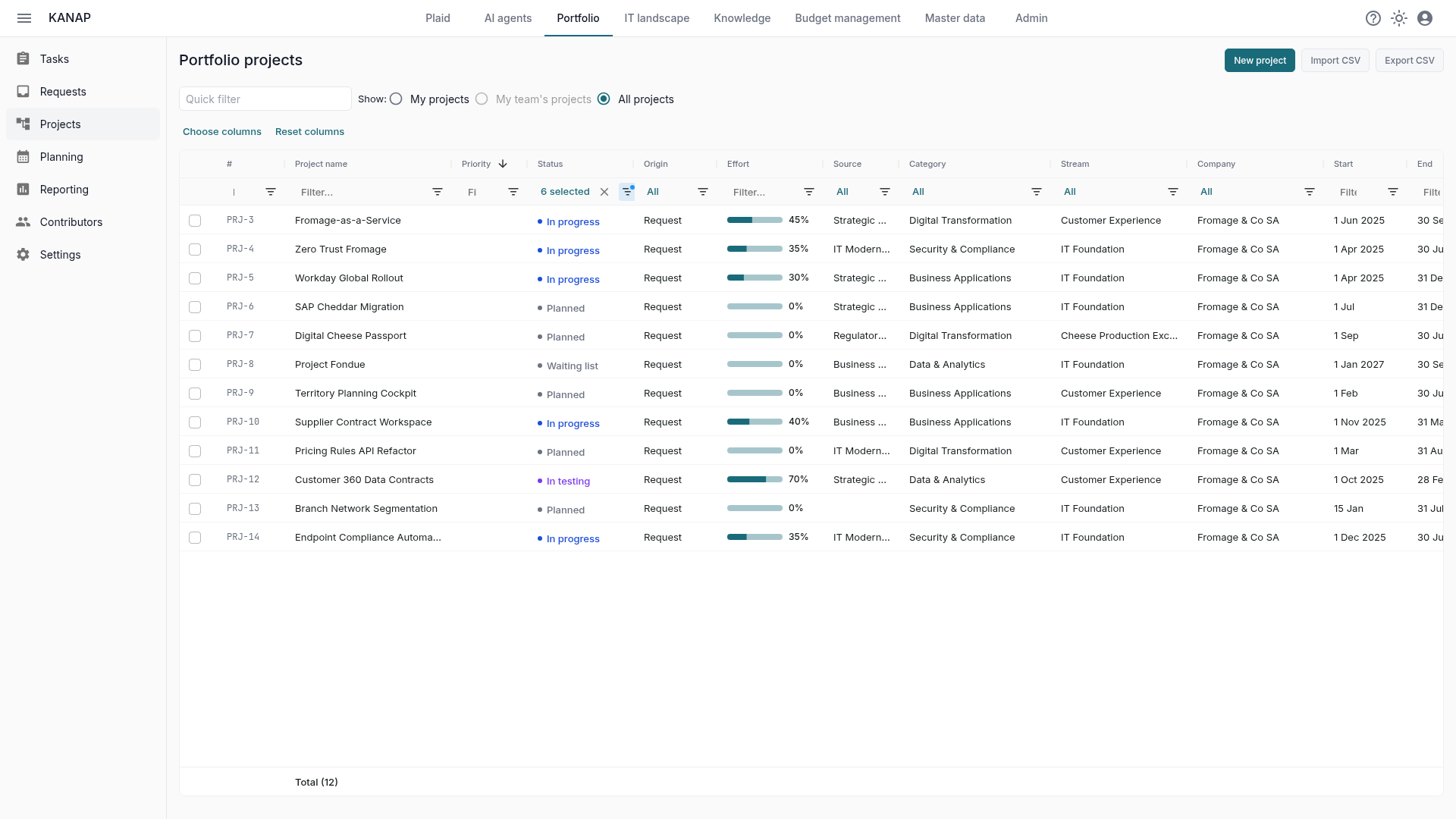
Ideas arrive as requests, get scored and become projects. Each project tracks its tasks, effort and progress, and the planning view shows what runs when and who is busy. The reports answer the usual questions from the steering committee, the team leads and each contributor. See the portfolio features, and the article on portfolio reports.
Contracts
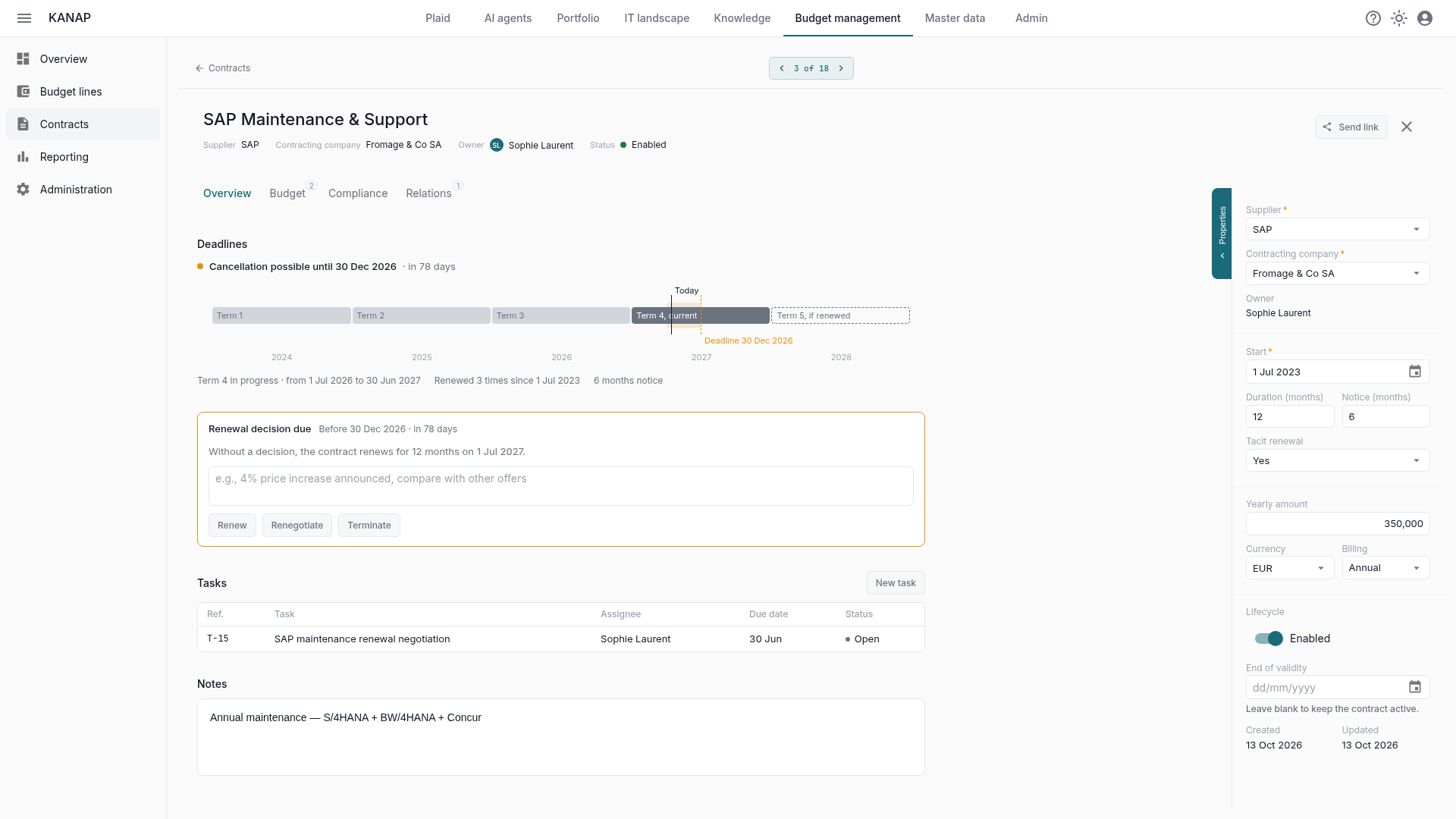
The contract register keeps your licences, subscriptions and maintenance agreements with their amounts, terms and notice periods. KANAP computes each cancellation deadline, shows it on a timeline and asks the owner to decide before it passes: renew, renegotiate or terminate, with the decision recorded. Each contract also shows what it commits for the year next to the budget lines that pay for it. See the budget features.
Knowledge
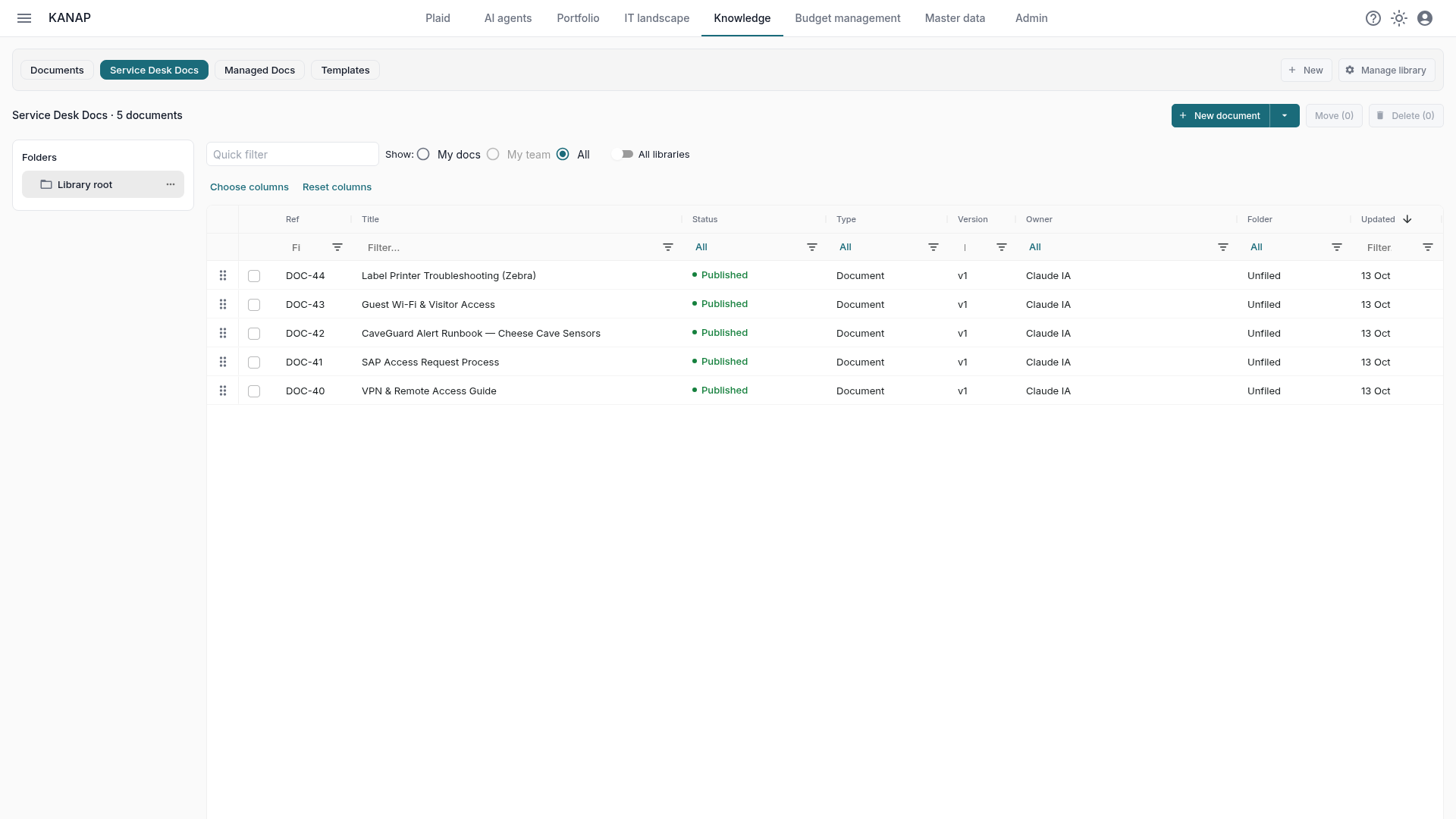
Knowledge is the document workspace for policies, procedures and technical notes. Documents follow templates, go through review, keep their version history and link to the applications, assets and projects they describe. People find the right document from the record they are working on. See the knowledge features.
Plaid, the AI assistant
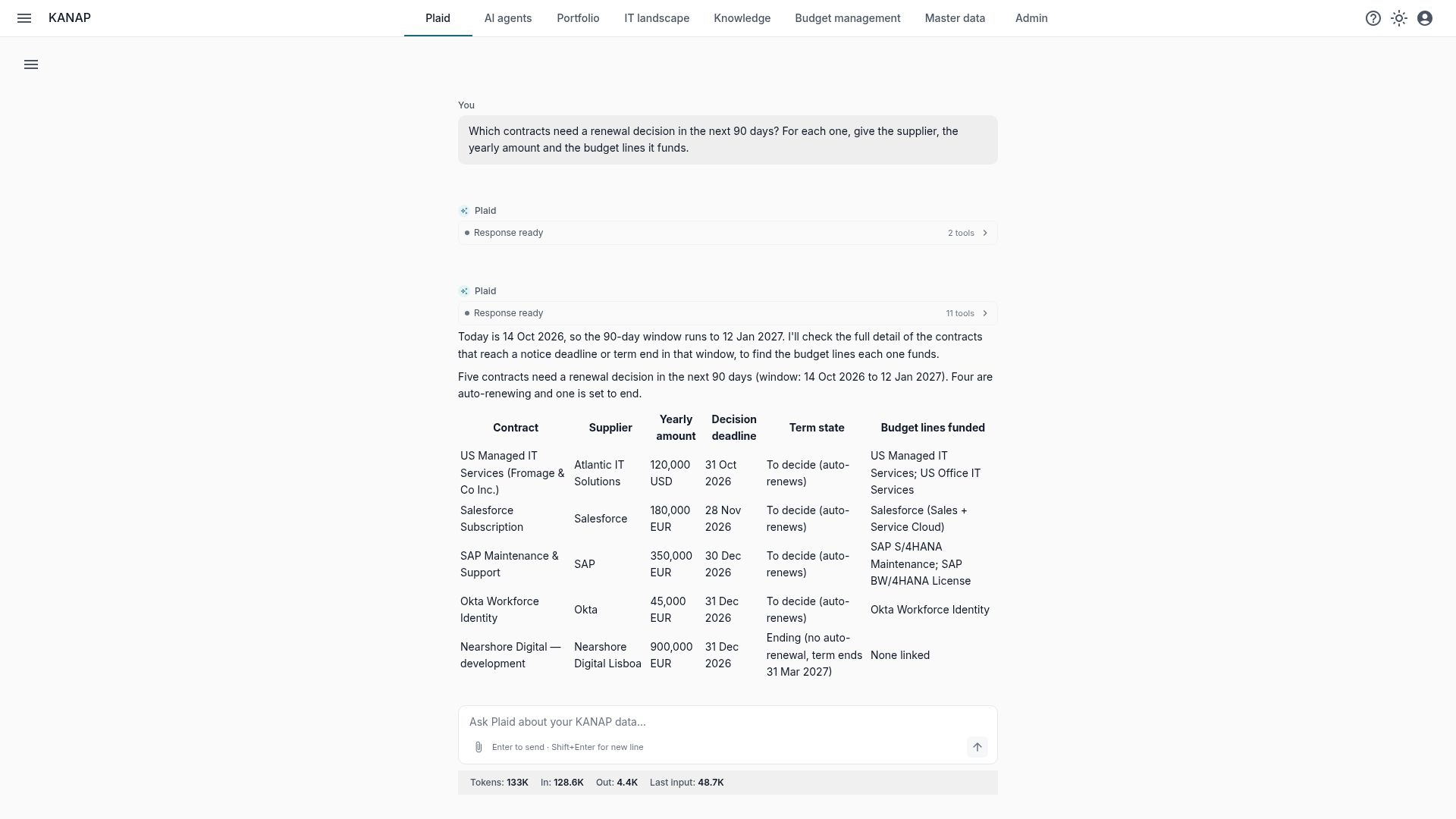
Plaid is the assistant built into KANAP. Ask a question in plain language: it searches across contracts, budget lines, applications, projects and documents, then answers with tables you can check. Here, the contracts to decide in the next 90 days, with their supplier, amount and the budget lines they fund. It also drafts documents and prepares changes, which you approve before anything is saved. See the AI features.
Your own AI tool, connected over MCP
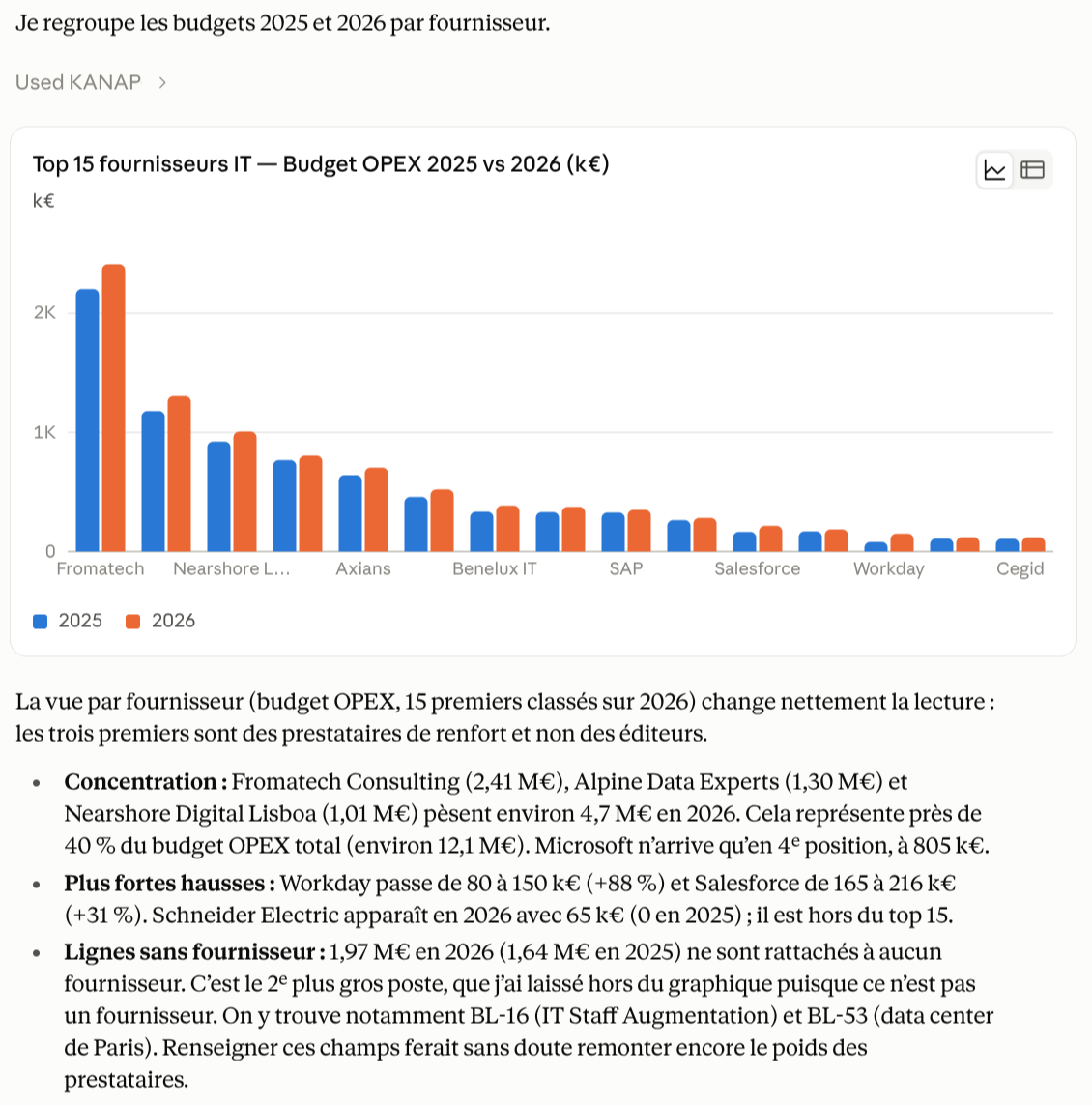
Already working in Claude, ChatGPT, Grok or another assistant that speaks MCP? Connect it to KANAP and it can search and read your KANAP data, within your own access rights. Your tool keeps its own strengths: it writes the steering committee report or the supplier review, and combines KANAP figures with your own files and context. The connection is read only. Claude, ChatGPT and Grok sign in with your KANAP account, and other MCP clients use a key from your administrator, on the hosted service as on your own servers. See the AI features and the connection guide.
AI agents
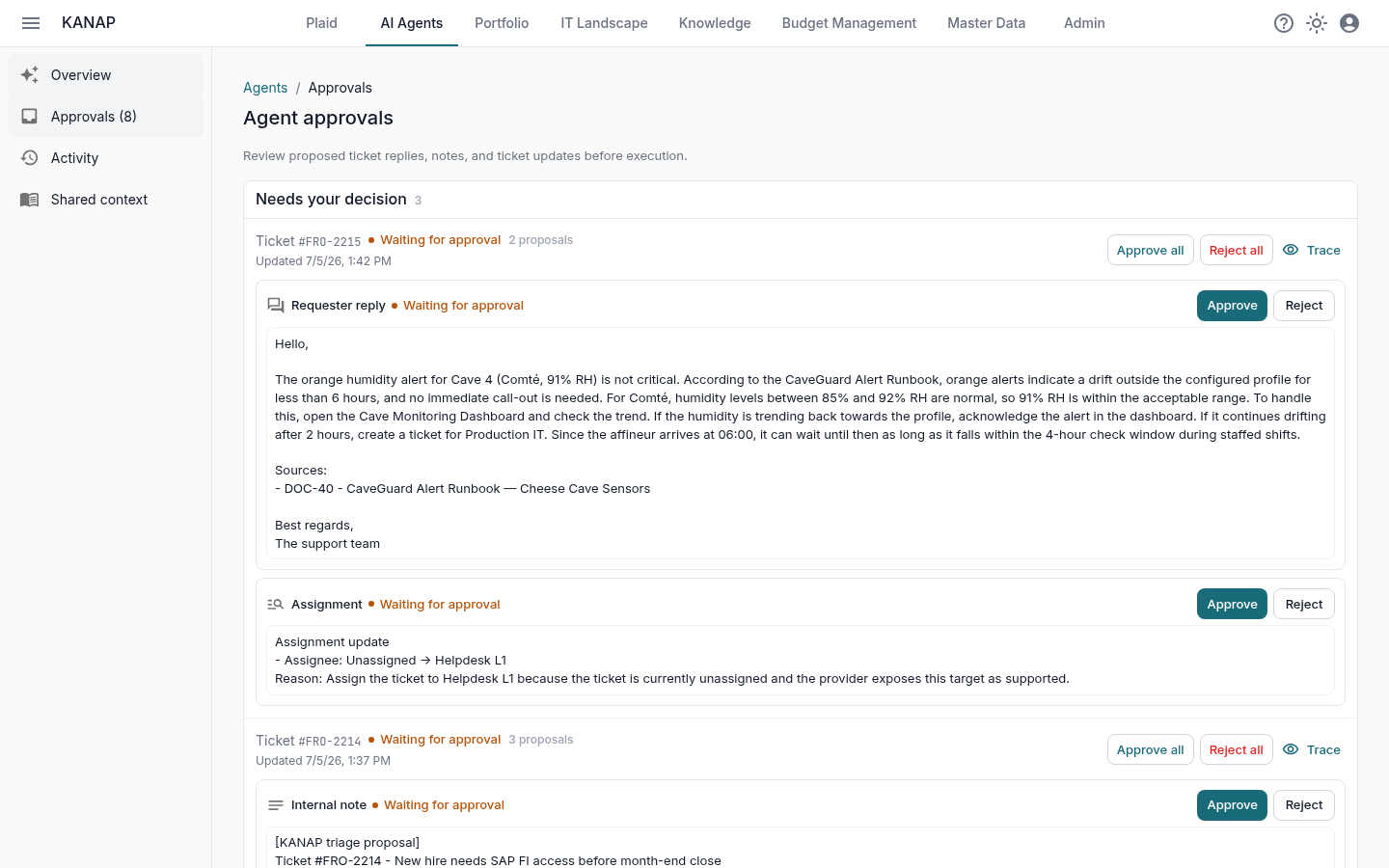
AI agents are an exploratory feature, and they show where KANAP is heading. An agent starts from a brain that KANAP already provides: your IT landscape, your contracts and your knowledge base. The hands come next, acting on that environment with judgment. Today an agent works on a service desk: it reads each ticket against your data and drafts a reply, an internal note or an update. A person approves every proposal, and you widen its autonomy only as its record holds. See the agents features.
How to follow new versions
- On GitHub: watch the repository and choose “Releases” to get a notice for each version.
- On the blog: subscribe to the RSS feed (in French: /fr/blog/rss.xml). Articles like this one explain what a version brings.
- On the site: the changelog lists every release article.