
IT budget expected landing, line by line
Firming up the current year's IT budget landing, item by item, so it becomes a solid base for next year's budget.
September. Finance asks for a first version of the 2027 budget, and last year’s Excel file comes out of the drawer: two hundred lines, eight tabs, three versions that no longer agree. Here we go again?
This series walks through the preparation of a complete OPEX budget in KANAP. Part 1: make the current year’s landing reliable. Part 2: roll the numbers forward to 2027. Part 3: present, defend, lock. The principle holds from start to finish: you only touch what changes, KANAP handles the rest, presentation included.
Your lines still live in Excel? “Import CSV” loads them in one go, and the review starts the same day. KANAP checks the whole file before writing anything, then writes only the cells that changed: the round trip with the spreadsheet stays open for the whole review.
Expected landing, the column that matters
Every budget line (BL-12, BL-47…) carries five budget columns per year: Budget, Revision, Forecast, Actuals and Expected landing, across last year, the current year and the two next ones. Your budget rounds have their own names, A0, A1 or “June reforecast”? Rename the columns, hide the ones you don’t use and pick the default column, the one that sorts the lists and that reports preselect. At this stage, the point is to know where and how the current year will end. Time to put down your best estimate of what each line will really have cost by December 31.
It is also the base of next year’s budget: a careful landing avoids rolling into January amounts that already changed during the year.
Filter like in Excel
Nobody reviews two hundred lines in one pass. The budget lines list handles like a spreadsheet: a quick filter at the top, checkbox filters on every column. Type, Paying company, Account, Cost center, Allocation, Currency, IT owner, Business owner, analytics dimensions: tick a few boxes, the list narrows, and the totals row recalculates over the selection.
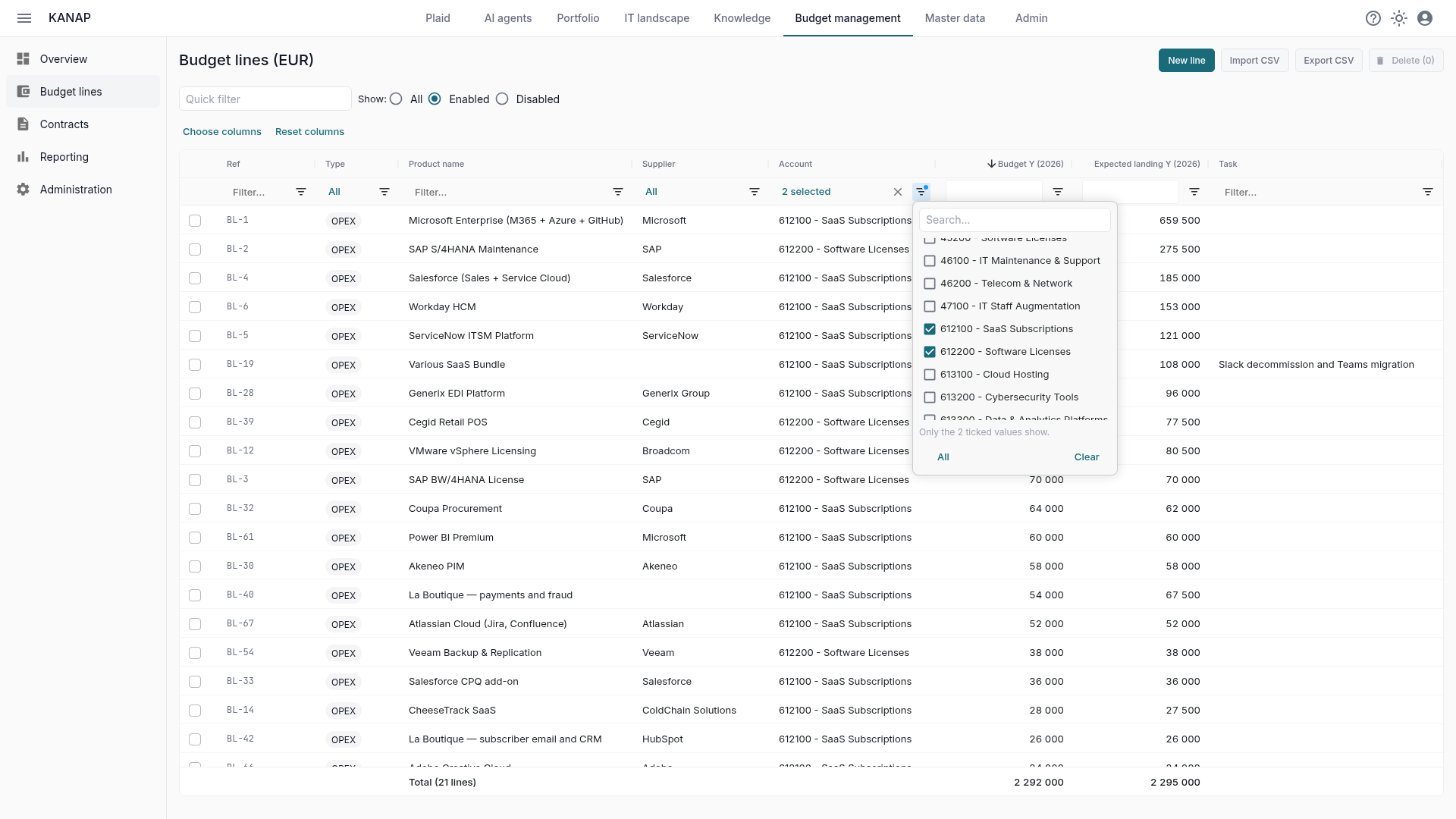
The review then splits up naturally: services one morning, licences the next day, one subsidiary’s lines after that. Filters are kept in the URL; open a line, come back, the selection has not moved.
In a hurry? Sort by amount and work through the 20 largest lines, which usually carry most of the budget.
Walk the selection, line by line
Open the first line of the selection, Budget tab. The previous and next arrows read “3 of 21” and follow your filtered list, in its sort order. You move line by line and correct the landing only where reality diverged: a renegotiated contract, a delayed project, cloud usage above plan.
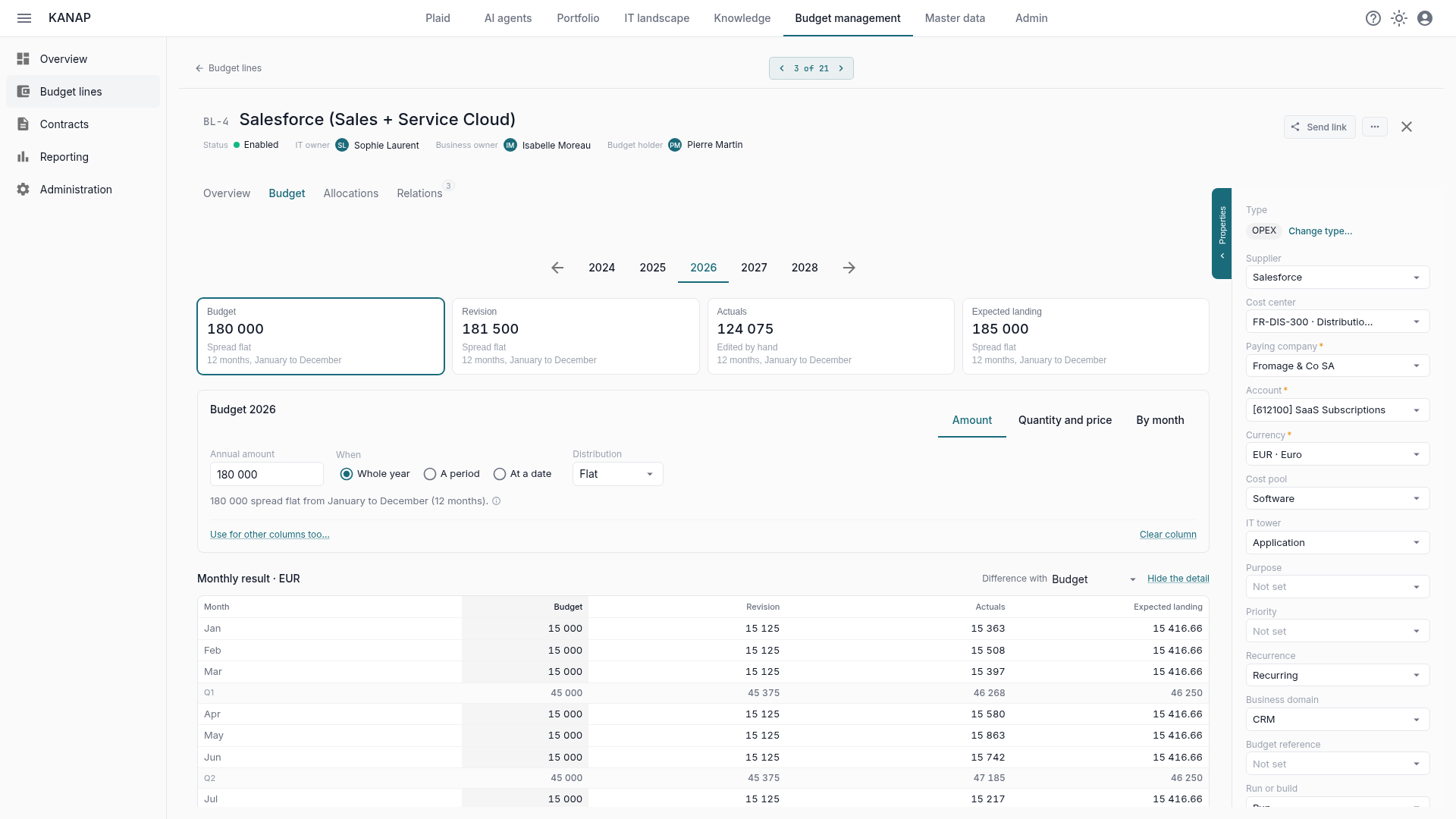
For lines that deserve better than an annual amount, pick the column’s card, then say how it is built: Amount (whole year, a period or at a date, flat or 4-4-5), Quantity and price, or By month.
An empty column can Start from another one, adjusted by a percentage. Changed your mind? Back to the opening values restores the columns you edited.
Lines where nothing moved stay empty. Part 2 fills them all at once.
Time-and-materials services: quantity × price
For contractors, a monthly flat fee or per-unit licences, an annual amount says little. In the Budget tab, “Quantity and price” breaks the amount into lines: a quantity, a unit (people, days or pieces), a unit price and a period.
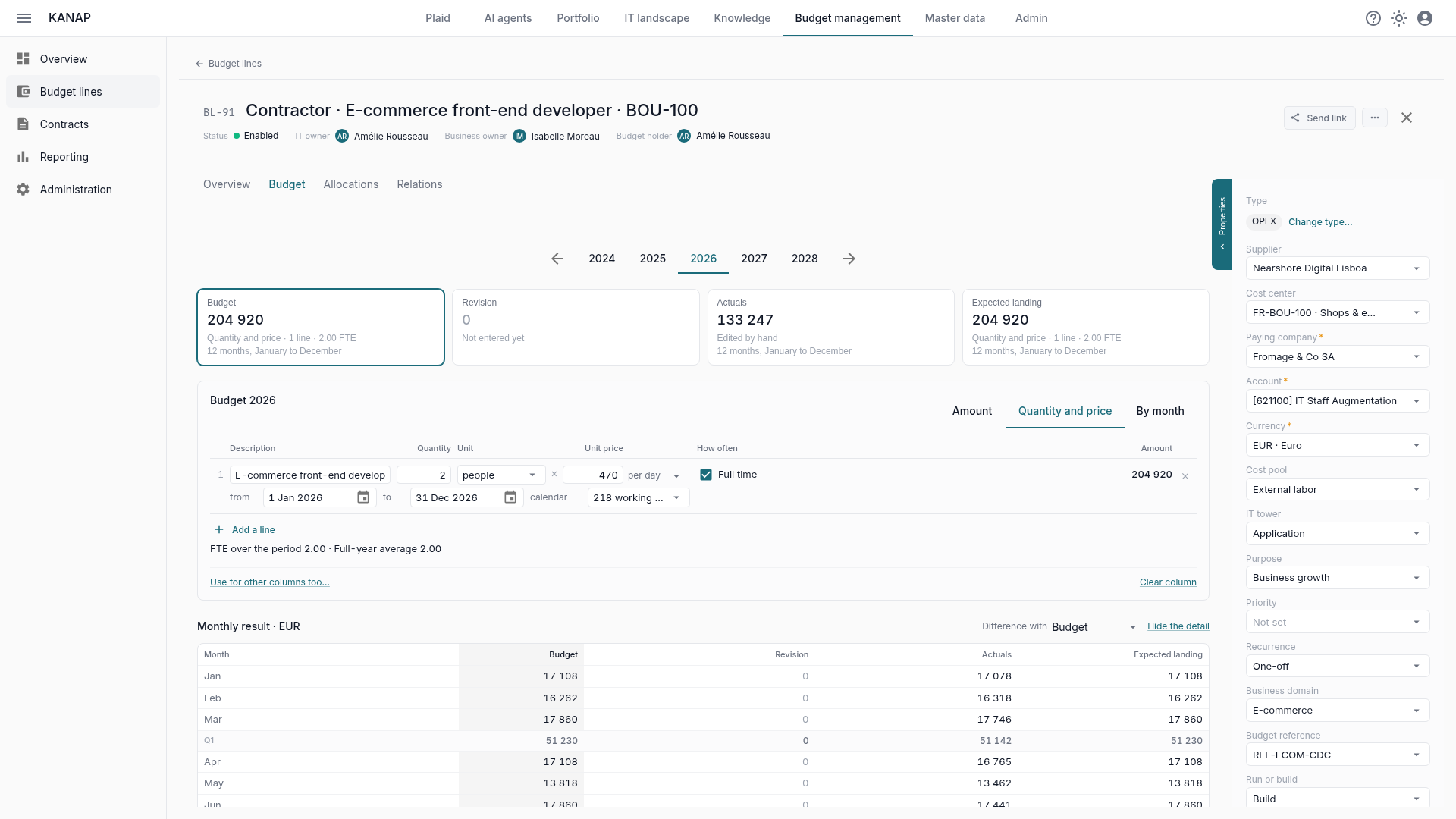
Two consultants at €650 a day, full time from March to December: KANAP computes each month from the working days in the calendar of the paying company’s country, public holidays excluded. If the assignment ends in October or the daily rate was renegotiated, change the date or the price and the landing recalculates. No more redoing the multiplication by hand.
Calendars live in Master data > Working-day calendars. A country’s standard calendar is created along with the company; a custom calendar covers a plant that closes three weeks in August.
Along the way, every line in people or days declares its FTE (full-time equivalents). Part 3 uses them to answer “how many people, at what cost?”.
While you’re there: note what you already know about 2027
The 2027 year tab sits right next to it. Use the review to enter the changes already decided: a scope extension, a renegotiation, a termination… For contract ends, no memory effort: each line shows its contract, and each contract carries its cancellation deadline. The 2027 deadlines can be read in the contracts list.
Use the notes too: one short line (“+10% in Q3, renegotiation under way”) and you will thank yourself in six months.
These hand-entered amounts are safe: part 2’s automatic copy only fills empty cells.
Pro tip: currencies first
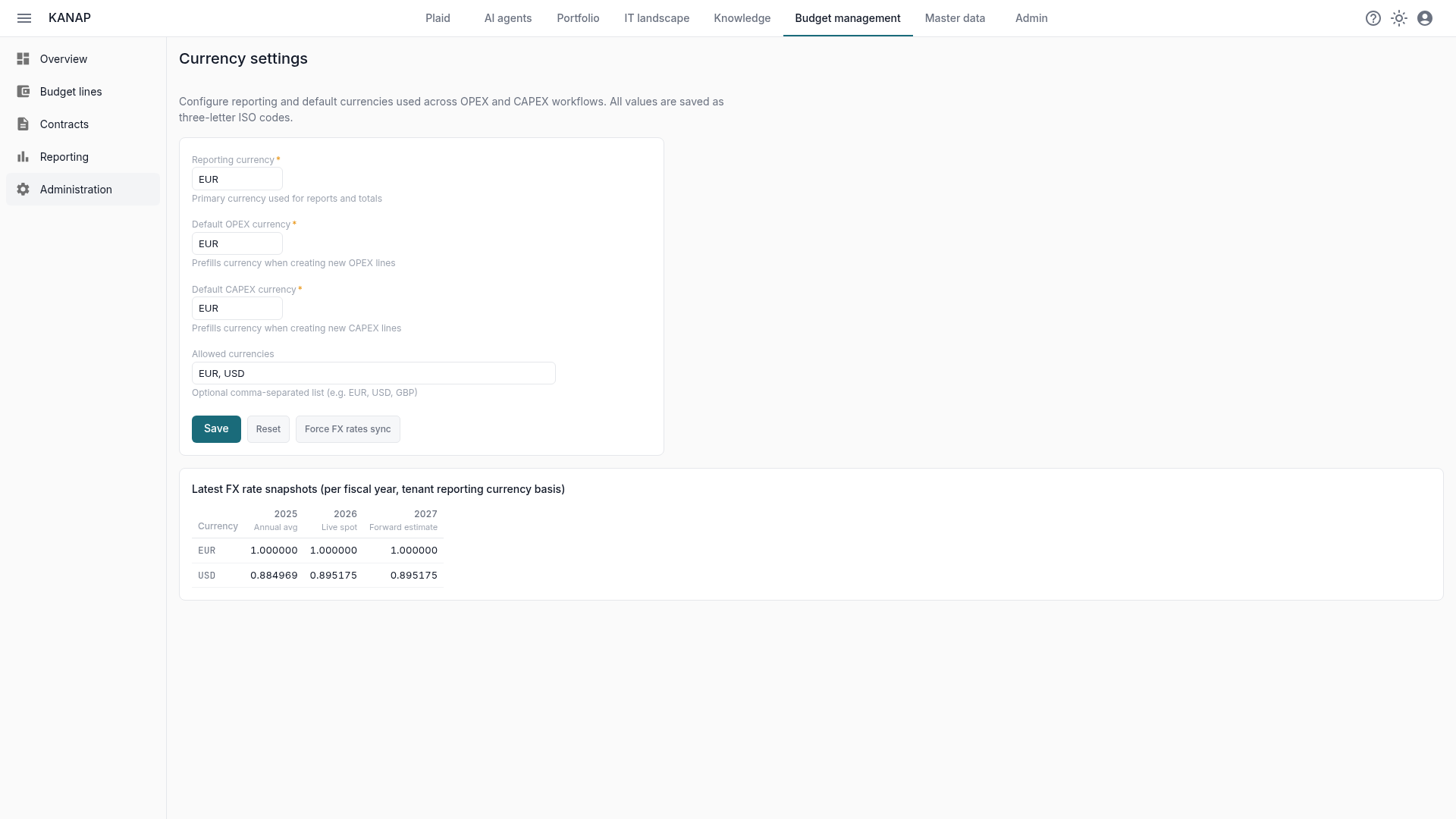
KANAP handles multi-currency budgets, but set them up beforehand. In Budget management → Administration → Currencies, define the reporting currency, the default OPEX and CAPEX currencies and the list of allowed currencies. FX rates sync automatically per fiscal year, and they freeze when you freeze the default budget column. Each line keeps its currency; totals and reports convert to the reporting currency.
What about CAPEX?
Everything above applies to investments: CAPEX lines live in the same list, with the same columns, filters and navigation. Tick CAPEX in the Type filter, or review both together. Part 3 shows both envelopes side by side.
What’s next
By the end of this review, the 2026 landing is reliable on the lines that moved and 2027’s big changes are already noted. In part 2, we fill in everything else in three clicks.