
KANAP 26.10.8: Excel import and export, history in every record
26.10.8 adds Excel import / export to every list in KANAP, making onboarding and bulk data updates easier. A new “History” tab brings the audit log information into each record. Plaid gets better. A tour of the release.
Until now, KANAP offered import and export everywhere in CSV. It worked, but it could be frustrating. 26.10.8 makes life easier. Every list exports to Excel, every import accepts .xlsx, which makes loading easy and speeds up bulk updates.
On top of that, the history of actions in KANAP, until now confined to the audit log, now comes down into every record, in the History tab, available to anyone who can read the record.
And Plaid, the AI assistant built into KANAP, got an upgrade to cover the recent improvements (incidents, contracts, technologies, vulnerabilities) and now covers all these modules, in read and, with your approval, in write.
Excel import and export
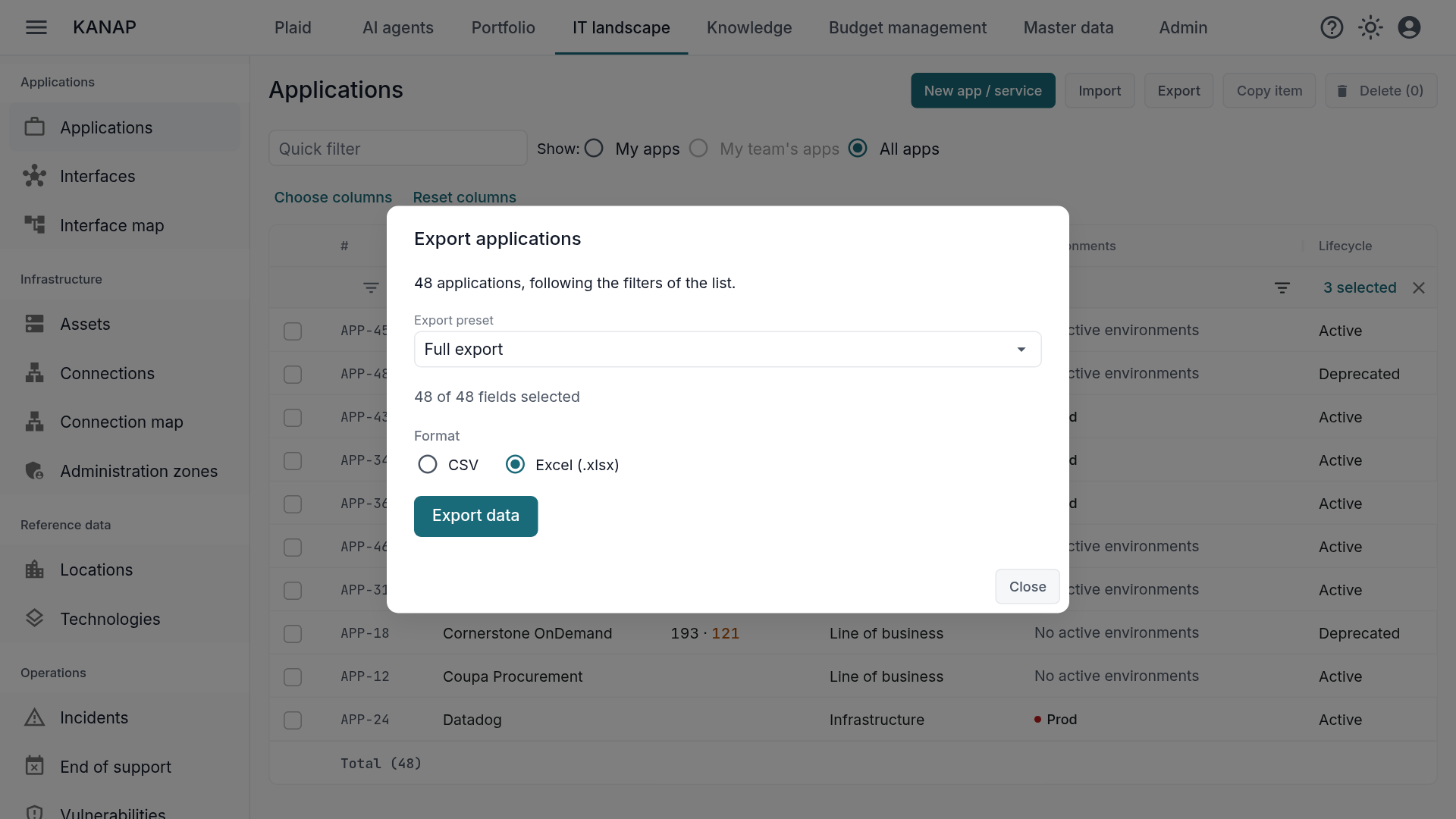
Export what you see. Every list exports to CSV or Excel, with the rows as they are filtered and sorted on screen. The workbook has the same columns as the list, and its numbers, amounts and dates are typed in the language you use: no “12,000” as text, no date to convert back. Reports follow: budget reports, chargeback, time logged, capacity heatmap, end of support. The Excel file of a report adds a Parameters sheet that records the filters applied, so the recipient knows what they are looking at.
Load a workbook as it is. Every import accepts an .xlsx workbook alongside CSV, the budget file included. The first sheet is read, typed cells are taken exactly, and the report says if the workbook contains other sheets.
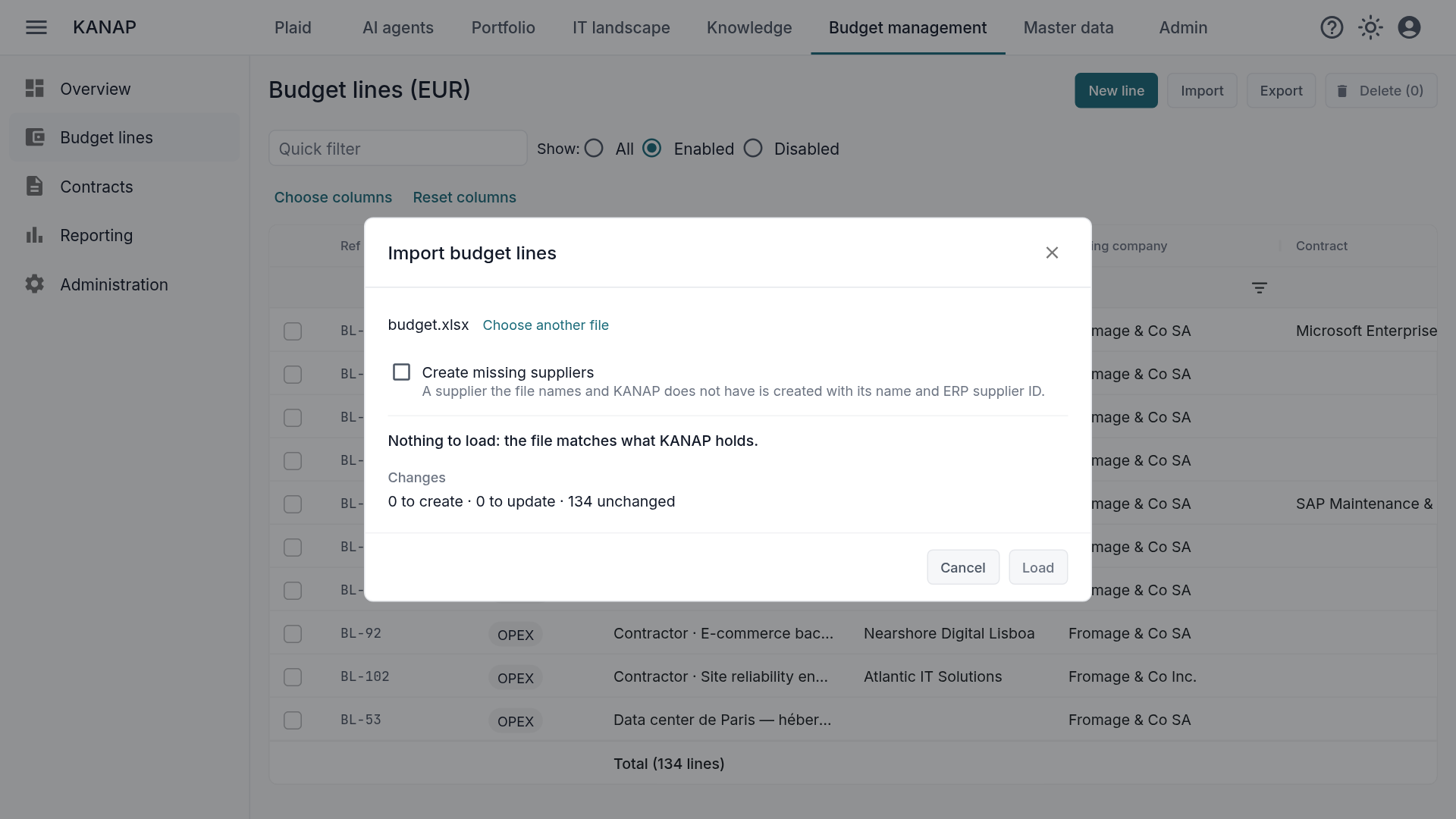
The budget file checks before writing. Before loading a budget file, KANAP compares it with what it holds: so many lines to create, so many to update, so many unchanged. When a column of the file replaces an amount built from calculation lines (quantity × price), the check names the lines, the columns and the years affected, with their total, before you decide.
Every export leaves a trace. The audit log records who exported what, with the format, the parameters and the number of rows. A full budget export on a Friday evening deserves a log entry!
Excel export, even more than CSV, strengthens KANAP’s “no vendor lock-in” promise. Whether you use the cloud or the on-premise version, your data always stays easy to access, easy to export, and cleanly structured.
The formats are detailed in the CSV and Excel files page of the manual, and for the budget file in Load a budget from a spreadsheet.
Who changed what: the history of every record
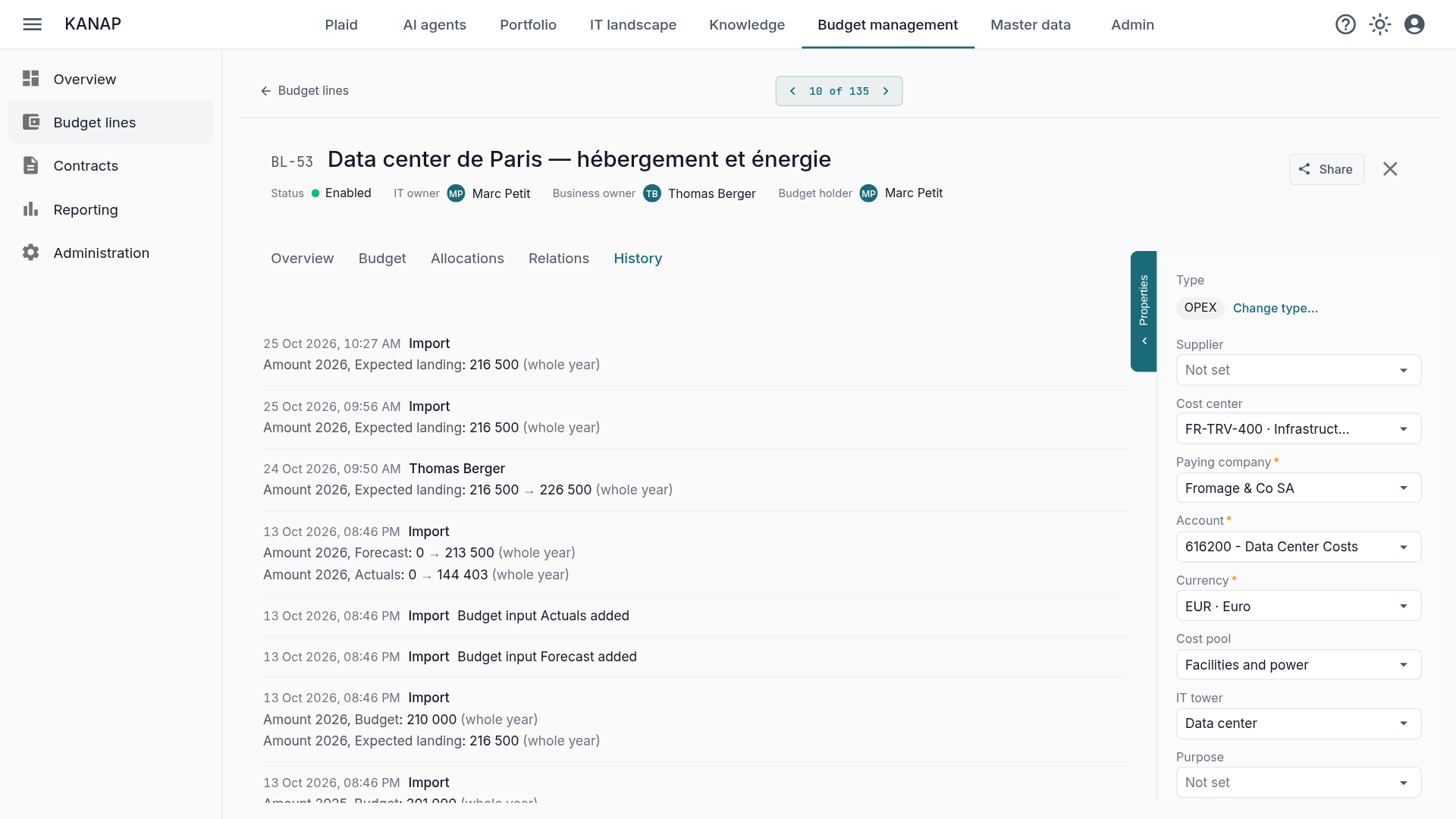
Every record now has a History tab: budget lines, contracts, applications, servers, technologies, projects, requests, tasks, incidents, interfaces, companies, suppliers, cost centers, contacts, locations, documents. Records without tabs have a button.
In plain language, not in JSON. Each entry says who, when, and what changed, with the old and the new value: “Amount 2026, Budget: 10,000 → 12,000”, “IT owner: Marc Petit → Sophie Laurent”, “Contract: — → SAP Maintenance”. The yearly amounts of a budget line, the members of a project team, the links of an application appear in the history of the parent record. A change made by Plaid, by an import or by a synchronization states its source.
Readable by anyone who can open the record. No new right: if you read the line, you read its history. A value that points to a record of a module you do not have access to is shown without its name. The audit log in administration remains the complete source, with the raw values.
Plaid also answers “what changed on this line this month?”, with the same rights as the tab. The rules are in the Record history page of the manual.
Plaid reads the whole IT estate, and writes under your control
Plaid is the AI assistant that knows your IT estate, but it had fallen behind over the last few weeks. We used the catch-up to run a full verification pass.
In read (Plaid or MCP), everything is accessible. Contracts and their deadlines, cost per FTE and average daily rate by supplier or cost center, budget by consolidation account, differences between two columns, FTE month by month, chargeback, incidents counted by application or by month with the average resolution time, technology versions and end of support, vulnerabilities as distinct CVEs, roles and data access for administrators, the history of a record, and the master data: cost centers, working-day calendars, analytics dimensions, exchange rates. This lets you use Plaid or your usual AI tool to query the database, build custom reports, run simulations, compare suppliers…
In write (Plaid only), after validation. Plaid creates or changes an incident, adds a note to it, declares a technology on a server, changes the status of a vulnerability, deletes a task or a contact, after a preview that you approve. It does what the screen lets you do, with your rights, and nothing else. Previews and messages are in your language, with the labels of the screens.
Grounded in data. When Plaid cannot read something, it says so and explains why, instead of answering “none”. When asked about raw data, Plaid does not do calculations, it runs queries: the figures are exact.
For the details, see the Plaid page of the manual.
Other improvements
- Clearer error messages. A page or an action outside your rights specifies the missing right and the module, in your language, and invites you to ask an administrator for it. Actions a reader cannot take are hidden or read-only.
- The owners of a budget line are preselected. The IT and business owner pickers first offer the people who have access to the line’s cost center, then the others.
- A budget line that does not match its contract (paying company, cost center, supplier, currency) carries a warning sign that flags the differences.
- The report by dimension counts the lines of each value, details them, and can separate OPEX and CAPEX.
- Easier first steps: the remaining trial days in the top bar, turning on Plaid from the home page, your name asked at first sign-in, and an About KANAP window with the version and access to support.
- Localization improvements: date formats, labels, numbers and messages in the interface language, down to the reports.
This release also updates the dependencies of the API, the interface and the site.
Easier on-prem hosting: ready-to-use images
From 26.10.8, your server no longer builds KANAP: it downloads the release images, published by our continuous integration to the GitHub registry, with verifiable provenance. The upgrade takes three commands: switch to the version, pull, up -d. Rolling back works the same way. A 4 GB server is enough, where the build needed 6.
This first upgrade requires one step on your side, described in the on-premise section of the release notes: open outbound access to the registry, then free the old build cache. On a large audit log, the migration that feeds the History tab takes a few minutes.
Upgrading
On the hosted service, there is nothing to do: you are already on 26.10.8.
If you host KANAP and follow the stable branch, go straight to 26.10.8, after reading the on-premise section of the release notes. If your installation predates 26.10.1, move it to stable first, as the operations guide explains.