
Server clusters in KANAP mapping
A SQL Server Always On, a vSphere farm: describe the cluster once. Where your applications belong depending on the kind of cluster, what the members inherit, and impact views that count right.
A two-node SQL Server Always On, a six-host vSphere farm. In a spreadsheet or a hand-kept CMDB, every application and every network flow is copied onto every node. The seventh host, added last year, got nothing.
On the day of an outage, the question “what goes down with this host?” then gets a wrong answer, and the vulnerabilities of the forgotten node show up nowhere.
In KANAP, you describe the cluster once. Its members inherit what it carries, and every view that counts servers counts right. You still need to know where each application belongs: the answer depends on the kind of cluster.
Two kinds of clusters, two rules
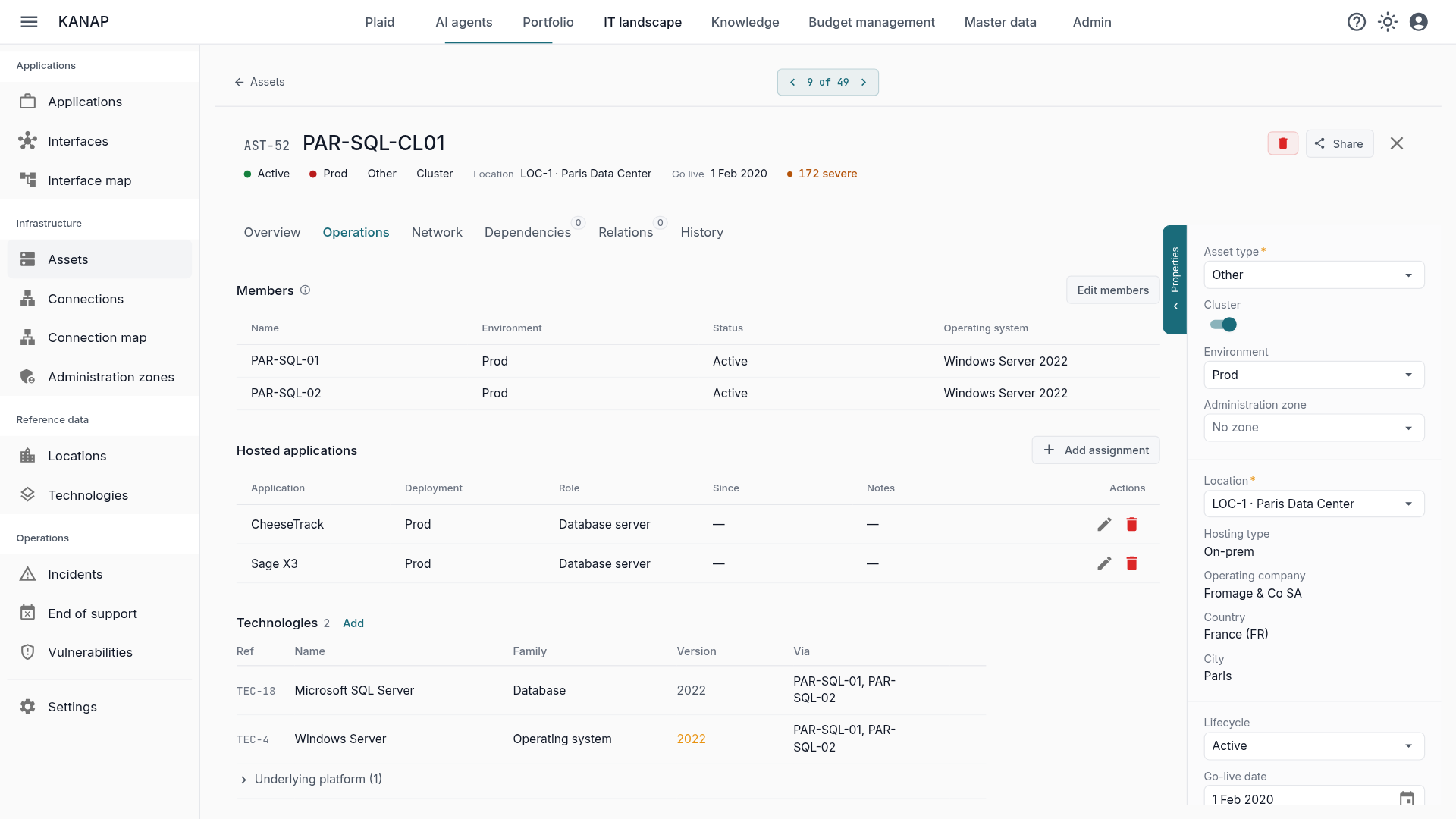
You create a cluster with Add cluster, or by turning on the Cluster switch on an existing asset. Its members are managed at the top of its Operations tab.
Then comes the question that makes everything else right: where do the applications go?
- A failover cluster, such as SQL Server Always On, runs the application on each node. Assign the application to the cluster: each member in service hosts it, with the role of the assignment.
- A virtualisation cluster, such as vSphere, runs virtual machines that move from one host to another. Put the machines in the Contains section of the cluster, on its Dependencies tab, and assign each application to its virtual machine. Only the platform itself, vSphere with the virtualisation role, is assigned to the cluster.
A few rules prevent inconsistencies. A cluster with members has no operating system: each member has its own. A member does not become a cluster, and a cluster is not a member of another.
Entered once, inherited everywhere
What the cluster carries passes to its members. A node added next year hosts the cluster’s applications right away; a node taken out stops hosting them. A retired server inherits nothing.
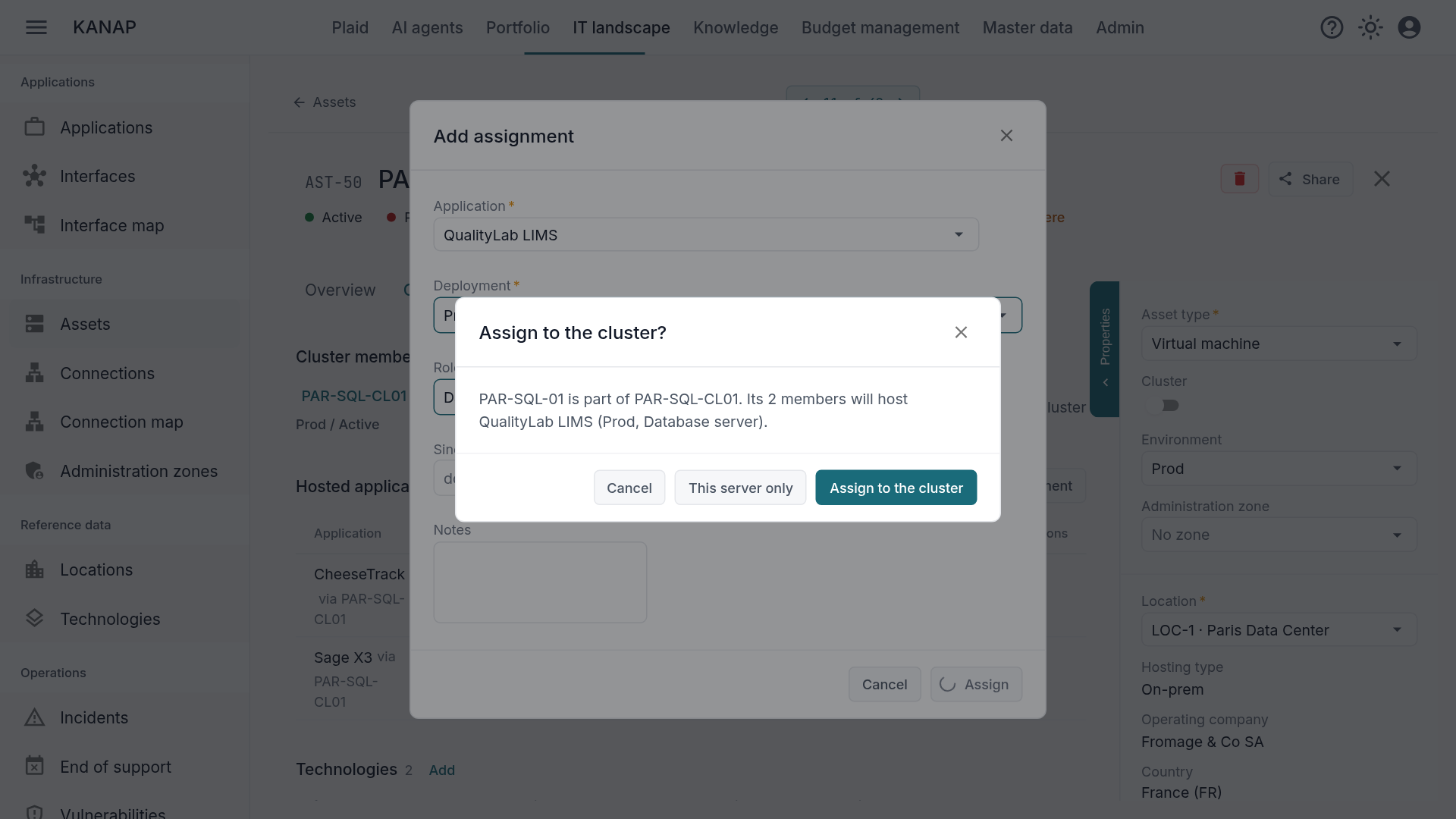
The most common mistake is still to assign the application to a single node. When you pick a member, KANAP asks Assign to the cluster?. The question names the members whose own assignment the cluster’s will replace, and the cluster’s assignment keeps the earliest go-live date and their notes. This server only remains possible, for the real exception.
Network flows follow the same logic. A connection can start from a cluster, end at it or pass through it: it applies to each member in service. The Network tab of a member lists the connections of its cluster, and the connection map draws the members.
Accurate views
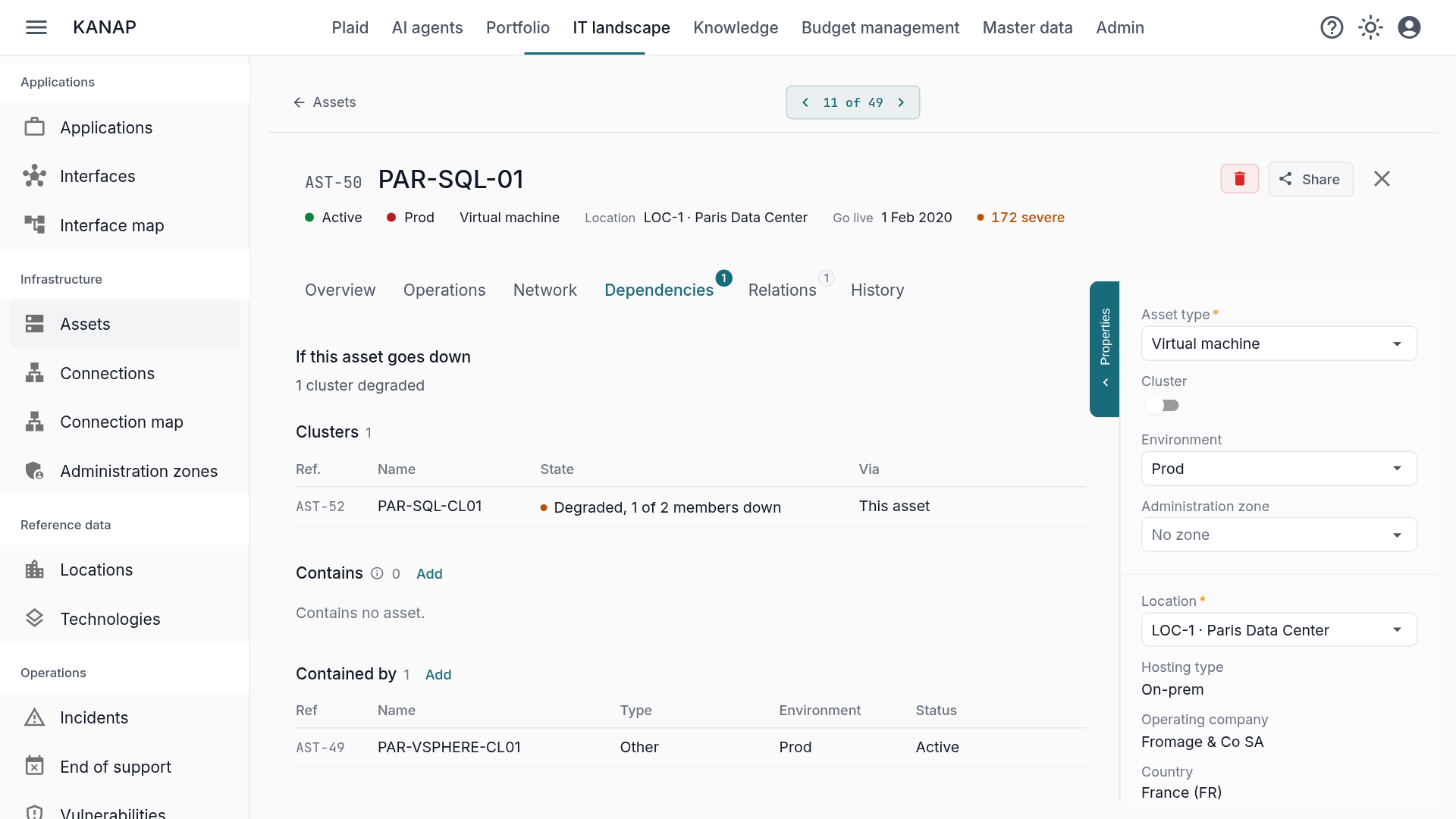
The benefit shows on the day a server goes down. On a member’s record, the Dependencies tab opens on If this server goes down (If this asset goes down for a virtual machine). The cluster appears there as Degraded, with the number of members down, and its applications keep running on the other nodes. It only turns Down when no member stands: its applications and its virtual machines then go down with it.
Wherever KANAP looks for where an application runs, it counts the members:
- Vulnerabilities and end of support of an application take every node into account. A cluster shows the vulnerabilities of its members in service along with its own.
- The technologies of the members appear on the cluster, one row per version, with the members that carry it.
- Administration zones, locations and contracts count the applications of the members.
- The Plaid assistant and Knowledge answer with the same rules.
On the cluster itself, the Dependencies tab folds the assets its members depend on under a Through members row.
Import rather than type
KANAP does not discover your clusters: it describes them. If your inventory is already in Netbox, the sync matches each Netbox cluster with a KANAP cluster and puts its virtual machines under Contains, with the same rules. See Your hardware inventory already exists, and it is in Netbox.
The asset CSV import has a cluster column: it creates real memberships, which you will find again in the export. The preflight check rejects an unknown or ambiguous cluster name before anything is written.
Finally, deleting a member is not done blind: the confirmation says which clusters it leaves and which relations go with it.
Where to start
- Create your clusters and attach their members, from the Operations tab.
- For a failover cluster, assign the applications to the cluster. For a virtualisation cluster, put the virtual machines in the cluster and leave the applications on their machines.
- Open the Dependencies tab of a member, and check that the answer is right.
To see how technologies link these servers to your applications, read Technologies: the link between servers and applications. KANAP is open source and free to try, online or on your own servers.