
Anticipating end of support
Windows Server 2012, SQL Server 2016, Ubuntu 20.04: the end of support date is known, what depends on it rarely is. The KANAP end of support report names the servers and applications affected, early enough to budget the migration.
October 2023: Windows Server 2012 leaves extended support. Many CIOs found out through an audit, or through the quote for paid extended support. The date had been known for years. What was missing was the list of applications still running on it, and so the cost of migrating them.
The same goes for every version of an operating system, a database, a hypervisor or a piece of hardware. Knowing that a version reaches end of support is not enough. You need to know what it carries, who is accountable for it, and you need to know early enough for the migration to fit in the year’s budget.
Here is how KANAP handles it: one view of every deadline, what each one touches, and the list of data to complete so that the answer is right.
One view, four types of deadlines
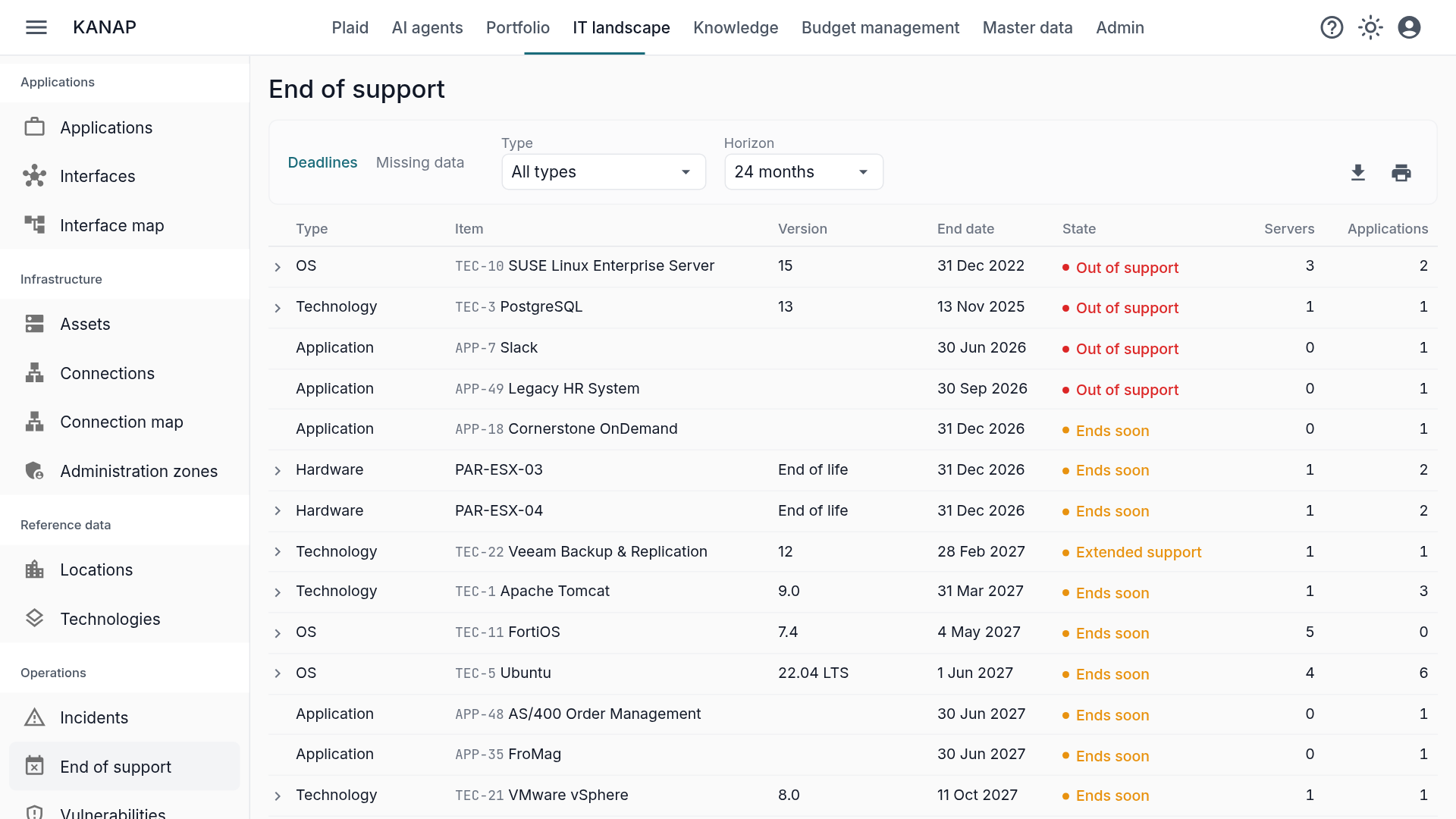
The report opens from IT landscape > End of support. Its Deadlines view brings together four types of deadlines:
- Technologies: a version in use on a server, or declared by an application. SQL Server 2016, vSphere 7, Tomcat 9.
- Operating systems: Windows Server, Linux distributions, AIX, in use on your servers.
- Applications: their own end of support date, the one the vendor announces for your version.
- Hardware: the end of life of a physical device, or the end of its support contract.
You pick the horizon: 6, 12, 24 or 36 months. Each row carries a state: out of support, extended support, ends soon. What is retired, or no longer used by anything, does not appear.
Dates come from two sources. Those of technologies and operating systems come from the catalog, fed by endoflife.date and by the vendor pages KANAP tracks: nobody types them in, and they follow when a vendor moves them. Those of applications and hardware come from your records: the end of support date entered on the application, the end of life or end of support contract entered on the asset. The article Technologies: the link between servers and applications explains how this catalog is maintained.
What each deadline touches
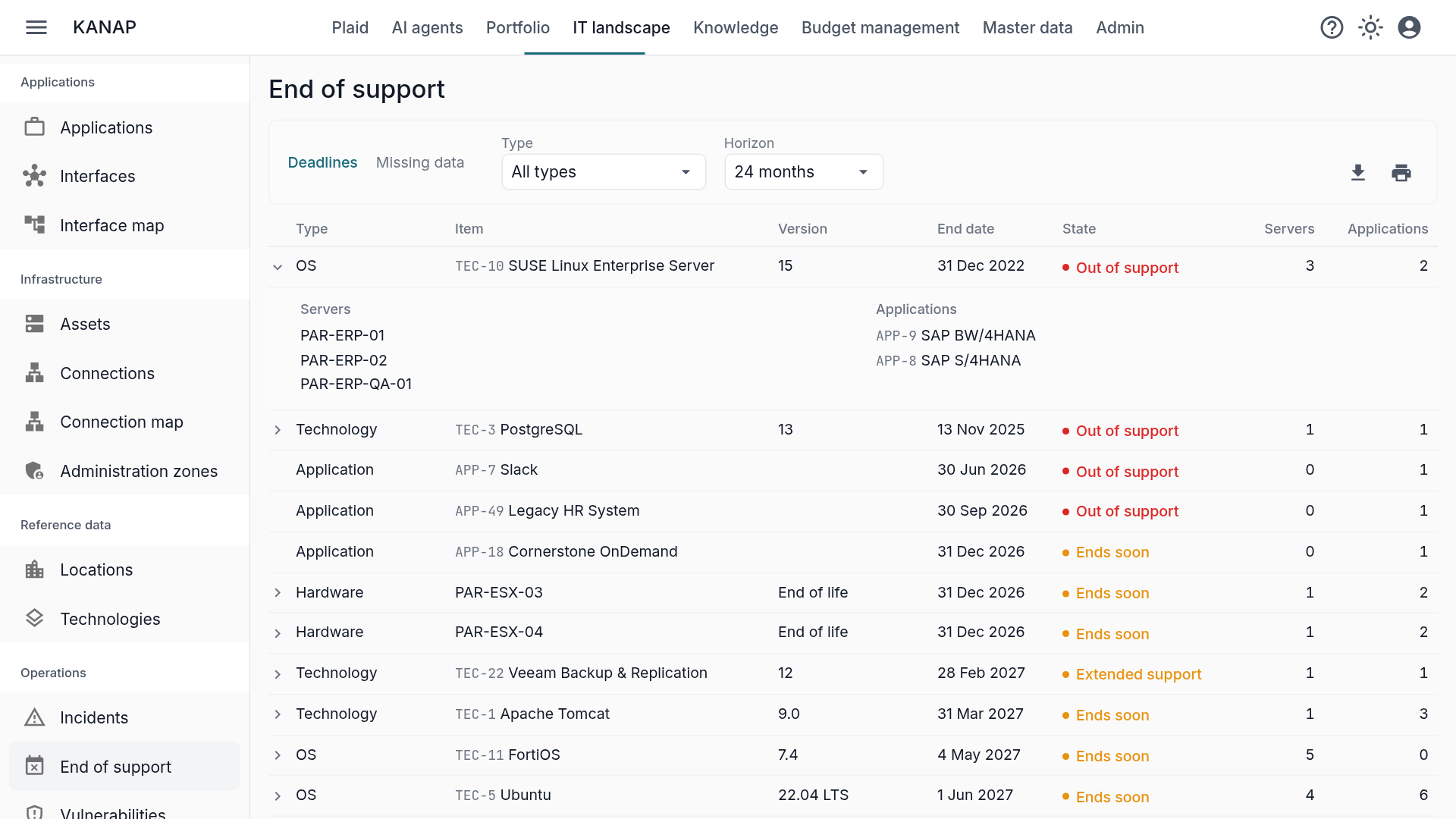
Each row shows two counts, servers and applications. One click unfolds it: the names appear, and each one opens its record.
KANAP follows the links of the IT landscape to find them:
- A technology version touches the servers it is installed on, and the applications that declare it or run on those servers, virtual machines included.
- A physical server at end of life touches the machines it hosts and the applications deployed on all of them.
- A cluster counts its members: SQL Server installed on the cluster touches each of its nodes. The article Server clusters in KANAP mapping details these rules.
So the answer does not stop at “Ubuntu 20.04 is out of support”. It names the servers and applications that depend on it, and each application record gives its owner and its criticality. The migration discussion starts with the right people.
Start with what is missing
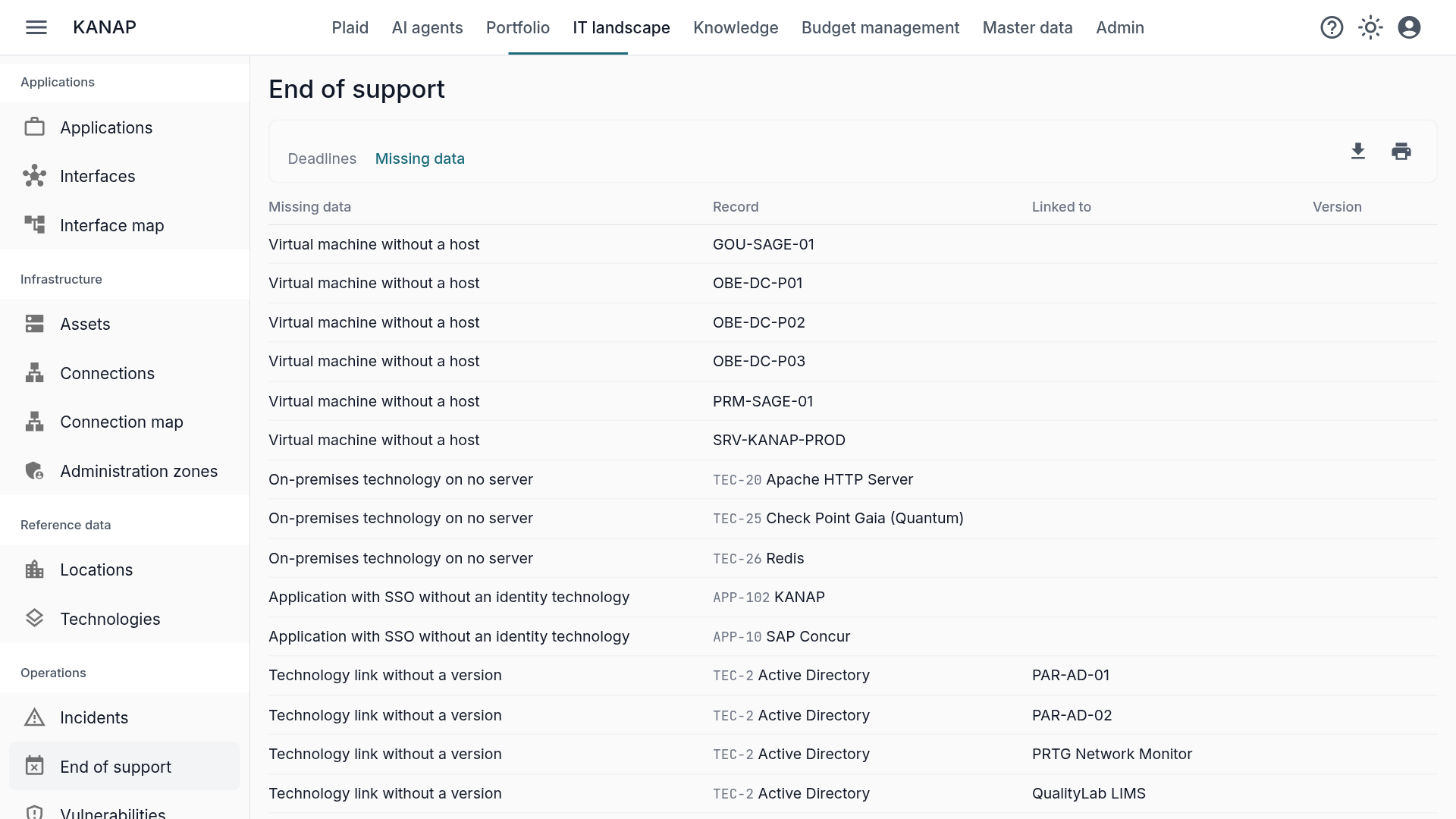
A report is only as right as its data. A server without its technologies will never appear in the deadlines, and neither will a version without a date. That is why the report has a second view, Missing data, which lists what keeps it from answering:
- a database server that carries no database technology;
- an application that uses SSO without an identity technology;
- a server or an application that uses a technology without saying which version;
- a virtual machine without a host.
Each row opens the record to complete. It is the most useful part to start with: it shows where the landscape still has gaps.
KANAP does not scan your servers. It knows what you declared on them, by hand, from a CSV file or through Netbox.
From the report to the budget
A migration planned for next year needs its budget this year. Switch the view to 24 months when you prepare the budget: what ends within that horizon is what needs a cost estimate now.
The CSV or Excel export gives the list to attach to the budget review. Plaid, the assistant built into KANAP, also answers directly: “Which applications reach end of support in the next six months?”
Once the migration is decided, it takes its place in the same tool: a budget line or a project, linked to the technology, the server or the applications concerned. This link is created by hand; it then lets you read on the technology’s record what its migration costs.
Where to start
- Open Missing data and complete the flagged records.
- Switch the Deadlines view to 24 months.
- Unfold the first three rows and name an owner for each migration.
To see the report on realistic data, a free 14-day trial of our hosted version gives access to the sample data of the fictional Fromage & Co group, loaded in a minute. KANAP is fully open source: it can also be installed for free on your own servers.